
Administrator App
With the SchoolCues administrator app you can take attendance, check students in and out, send announcements and texts, and look up any record, all from the Staff view of the app families use.
No setup fees · See pricing
Join 200+ schools using SchoolCues






The front office, wherever you are
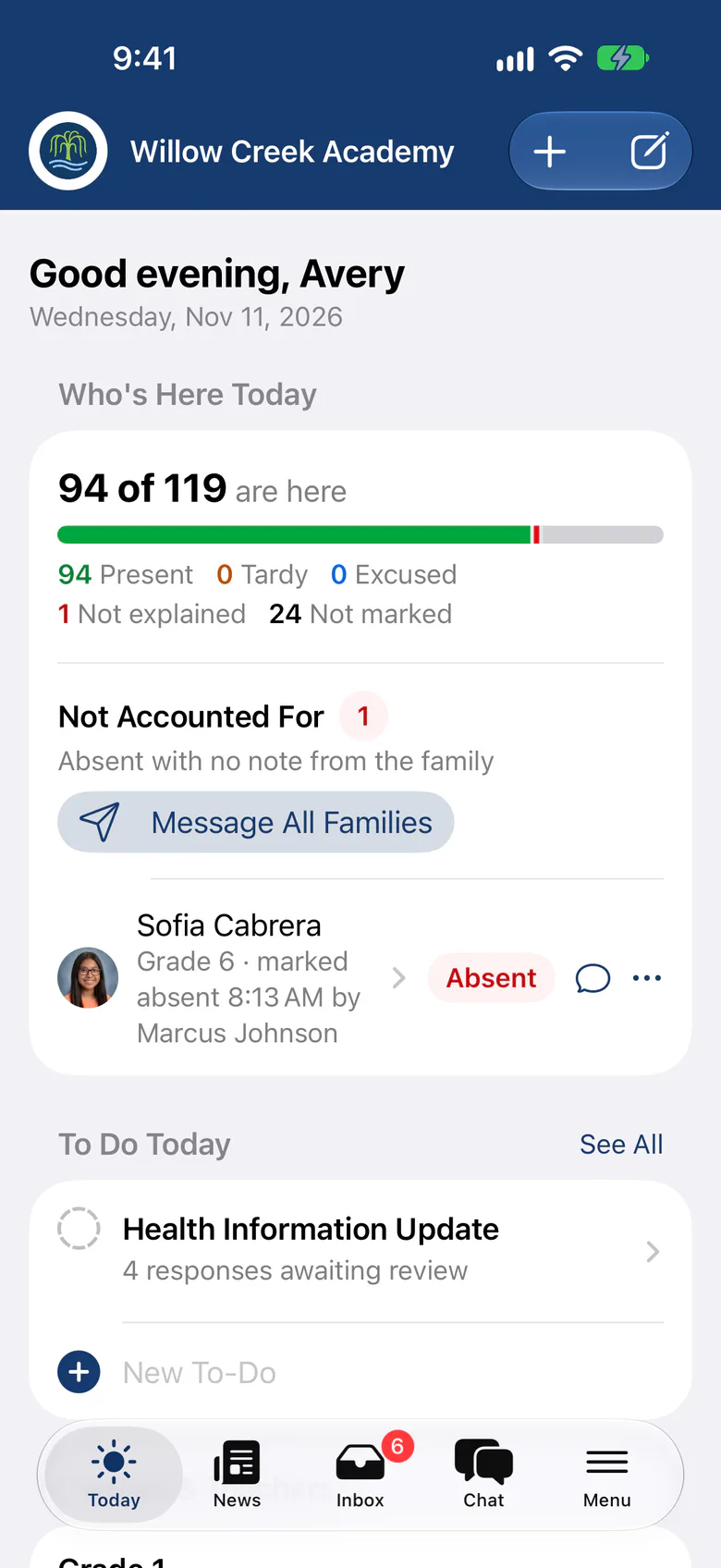
A to-do list for today
Attendance still to take, family notices, pickup requests and unsent drafts, each one tap away.
Announcements and texts
Send to the whole school, a class or a group by app, email and text, and preview who receives what.
Attendance anywhere
Mark attendance with family notices beside each student, even when the connection drops.
Check-in and pickups
Check students in and out, record who collected them and handle early pickup requests.
Incident reports on the spot
Write and share an incident report with photos, and see when the family acknowledges it.
Face ID on every staff device
The Staff view always needs Face ID or a passcode, and locks again after a few minutes away.
Attendance
Attendance that works on the field trip
Mark attendance from iPhone or iPad. Without a signal, marks wait on the device and send when you’re back online, with any conflicts shown student by student.
- Mark All Present, then change the exceptions
- Several attendance sessions a day
- Attendance, comments and monthly reports

Students
Every student’s details when you need them
Open a student to see classes, contacts with emergency and pickup roles, and allergies and health information at your access level. Call or email a parent with one tap.
- Record a pickup from the profile
- Attendance, notices and reports on one page
Student

Ximena Ramirez Student
Grade 4Lower SchoolBorn Jun 3, 2017 · 9 years old
Coming Up
- 7OctFall Family Picnic4:30 PM · All families · Main field
- 12OctPicture Retake Day8:30 AM · Grade 5 · Library
- 12OctGrade 5 Science Center Trip8:45 AM · Grade 5 · Valley Science Center
Details
Student IDWWA-2462
Date of birthJun 3, 2017
HomeroomGrade 4
CampusLower School
- Grade 42026–27
- Studio Art2026–27
No class schedule yet
They’ll appear here when they’re added.
Present
21
Absent
0
Late
1
This school year, from every attendance take.
No care yet
They’ll appear here when they’re added.
No report cards yet
They’ll appear here when they’re added.
- AllergiesPeanuts · EpiPen in the front office
- ImmunizationsUp to date
No forms yet
They’ll appear here when they’re added.
No history yet
They’ll appear here when they’re added.
Inbox
Messages and replies in one place
Read messages and school notices, follow family replies in chat, and send class updates, homework and announcements with photos from your phone.
See school communications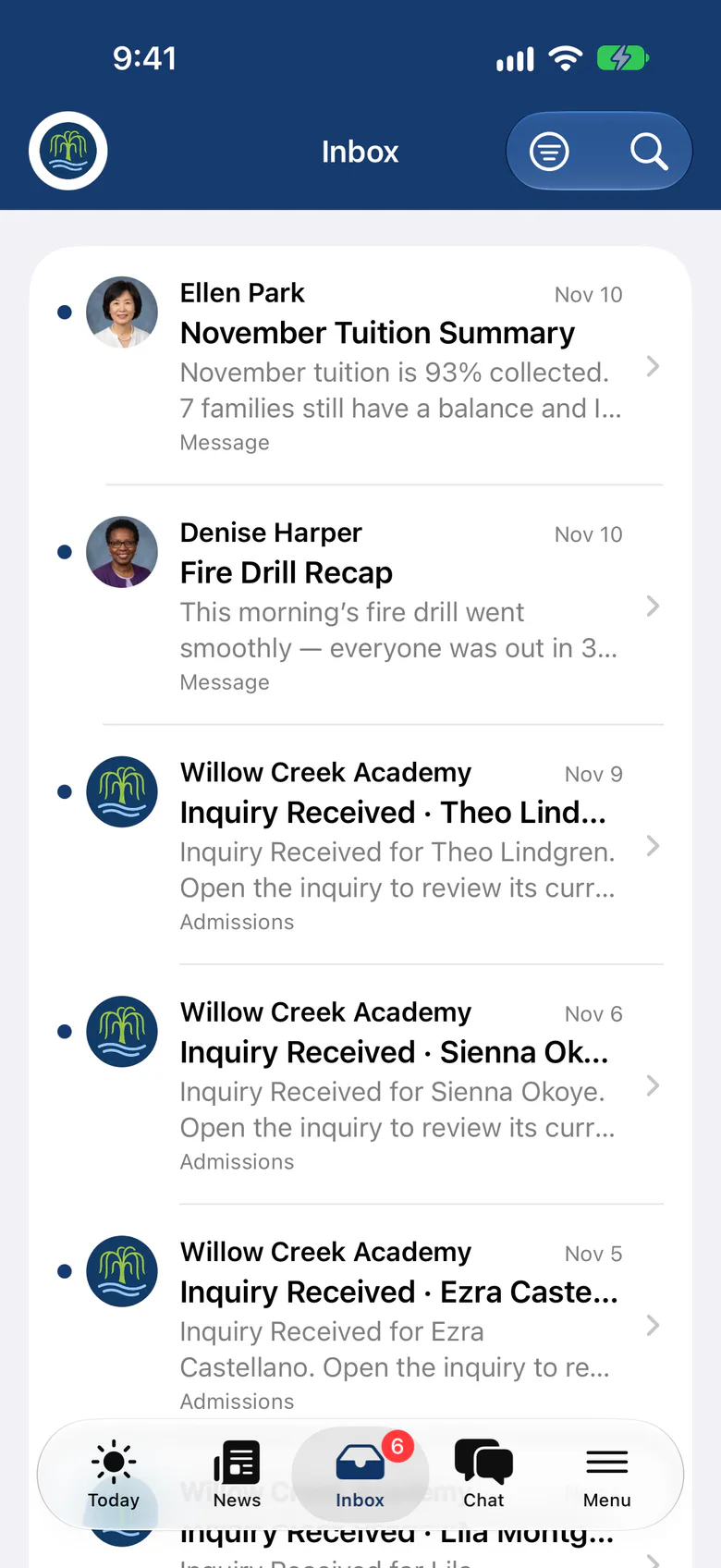
Send group text alerts and announcements from your phone to one or more groups, to classes or to the whole school in a few seconds.
In the Staff view of the SchoolCues app, teachers and administrators can:
- Look up the school directory
- Check students in and out
- Send announcements
- Send text messages
- Take attendance
- Send incident reports
- See conference schedules
- Set up the calendar
- Send activity permission forms
Administrators and teachers can handle routine tasks from their phones, which saves time and gets more done in the school office.
SchoolCues
SchoolCues is an online school management system that helps you keep parents involved. It works as your school management system: a student information system with admissions, enrollment, parent engagement, school administration, online payments and billing, and built-in text messaging.
It gives a school what it needs to communicate, manage student information and engage parents. Parents use the mobile app, which connects to the same online student information management system.
To bring this online school management system to your school and get more parents involved, explore SchoolCues.
“SchoolCues is an incredibly easy platform to set up and navigate. Our school community raves about the quality of the website and the user-friendly mobile app makes it convenient to check in on school happenings. The support team at SchoolCues answer all of our questions in a timely manner and resolve any issues quickly and efficiently. SchoolCues is a huge asset to our school.”
Rebuilt for the way schools work today
One app, two views
Staff who are also parents switch between Staff and Family views in the same app.
Check-in kiosk on iPad
Turn a school iPad into a self-service kiosk for drop-off and pickup.
Chat with oversight
Chat with families, and let designated staff review reported conversations.
Scan tickets at the door
Scan event tickets with the iPhone camera, even offline, or find a name on the guest list.
Draft with AI
Get help writing class updates and incident narratives, with student names kept out.
Post school news
Post news with photos and put an important notice on every family’s Today screen.
Pricing
Administrator app is included in Connect
One price covers your whole school, including every staff member, every family and the parent app. Pricing follows your enrollment, not how many people use it.
Compare all plans- Messages, news, class updates, texts and WhatsApp
- The SchoolCues app and family portal
- Calendar, events, sign-ups and conferences
- Documents, forms and e-signatures
- Tuition, payments and financial aid
- Donations, giving pages and the school store
FAQ
Questions schools ask us
No. Teachers, staff and administrators use the same SchoolCues app as families, with their own Staff view. Anyone with both roles switches between views in the app.
Yes. Attendance marks wait on the device and send when the connection returns. If someone else changed a mark in the meantime, you review it student by student.
No. The app uses the same roles and permissions as the portal, so each person sees only what their role allows.
The SchoolCues app is included in every plan at no extra cost, for staff and for families.
Book a demo
Run your school from your phone
Book a live tour, then take attendance in the SchoolCues app on your first day.
- A live SchoolCues demo with Q&A
- Your pricing, after the demo
- A plans overview to share with your board

Hosted by SchoolCues founder, Dr S
Every week. Join the group tour, or ask for a call with just your team.
Tell us about your school
Takes a minute. Then choose a session.