
Student Attendance Tracker for Parents and Schools
A student attendance tracker for parents and schools: teachers mark attendance in a few taps, families report absences from their phone, and parents can check their child’s attendance history any time.
No setup fees · See pricing











Join 200+ schools using SchoolCues






Attendance the office and families both see
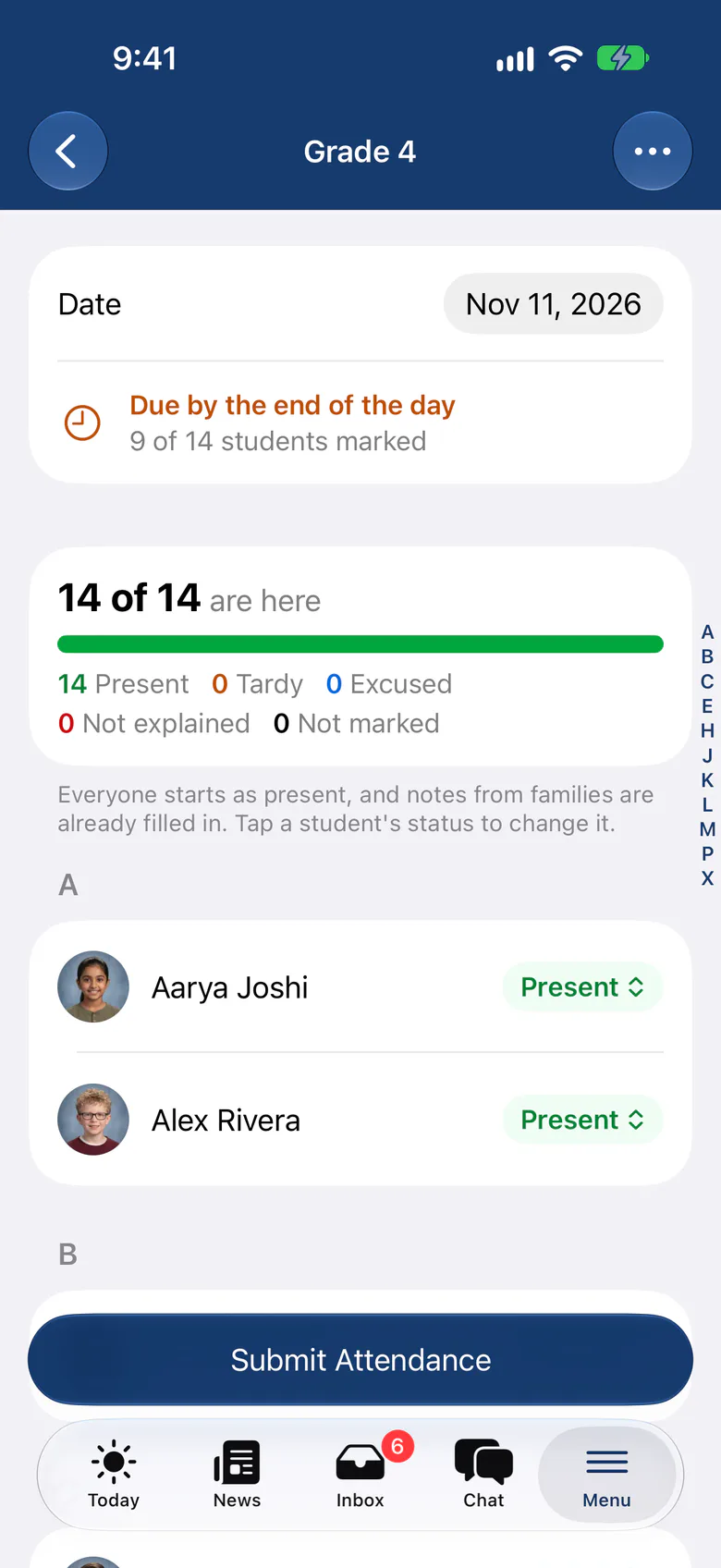
Mark All Present
Start with everyone present and change the few who aren’t, using your school’s own attendance codes.
Family notices beside each name
Absence, late and early pickup notices from families appear on the teacher’s sheet as they take attendance.
Reminders when it’s overdue
Set morning and afternoon sessions, and teachers get a reminder when one is late.
See who’s still to take
The office sees which classes have taken attendance and which are still outstanding.
Parents see the history
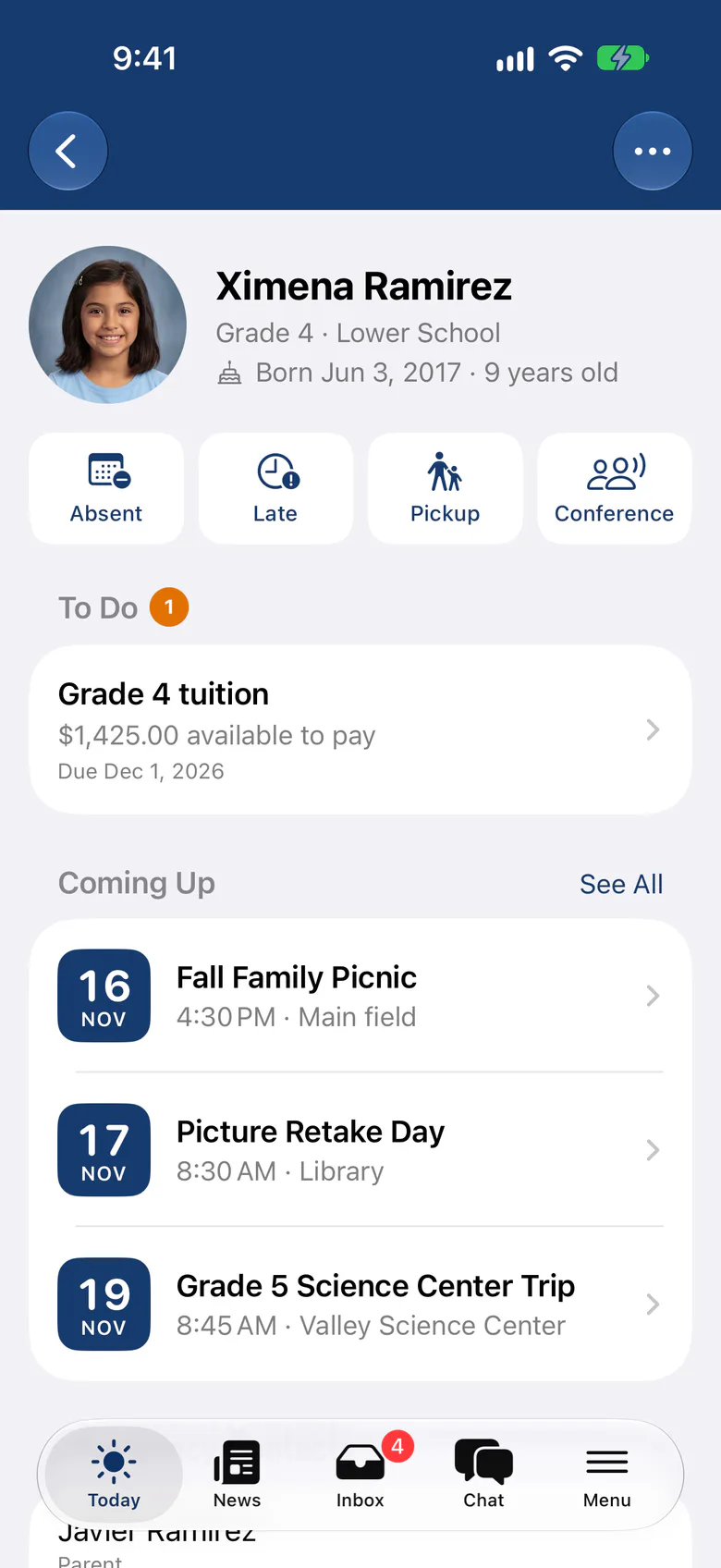
Families see each child’s attendance by month or term in the SchoolCues app and on the web.
Reports as CSV or PDF
Run attendance, comments and monthly reports by class and date range.
Office
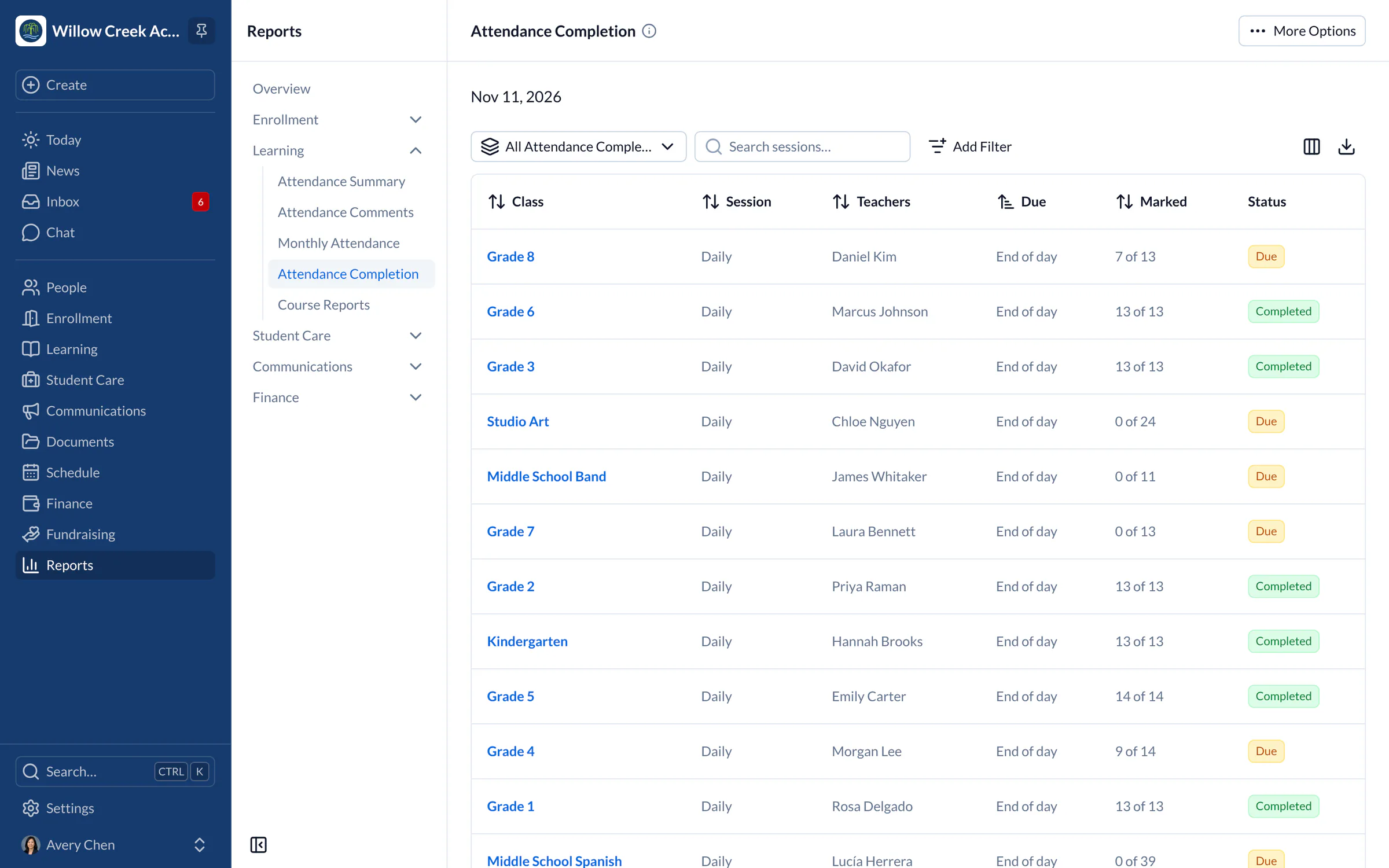
Know which classes are done
The completion view shows every class and session for the day, so the office can follow up with one teacher instead of walking the halls.
- Overdue sessions flagged with their due time
- Corrections need a reason and keep their history
Teachers
Take attendance from the classroom, online or off
Teachers mark attendance on iPhone or iPad in the SchoolCues app. If the connection drops, marks wait on the device and send when it returns.
Explore the administrator appFamilies
Absence notes without the phone call
Families report an absence or a late arrival for one or several children from their Today screen, and see when the school has seen it.
Explore the parent app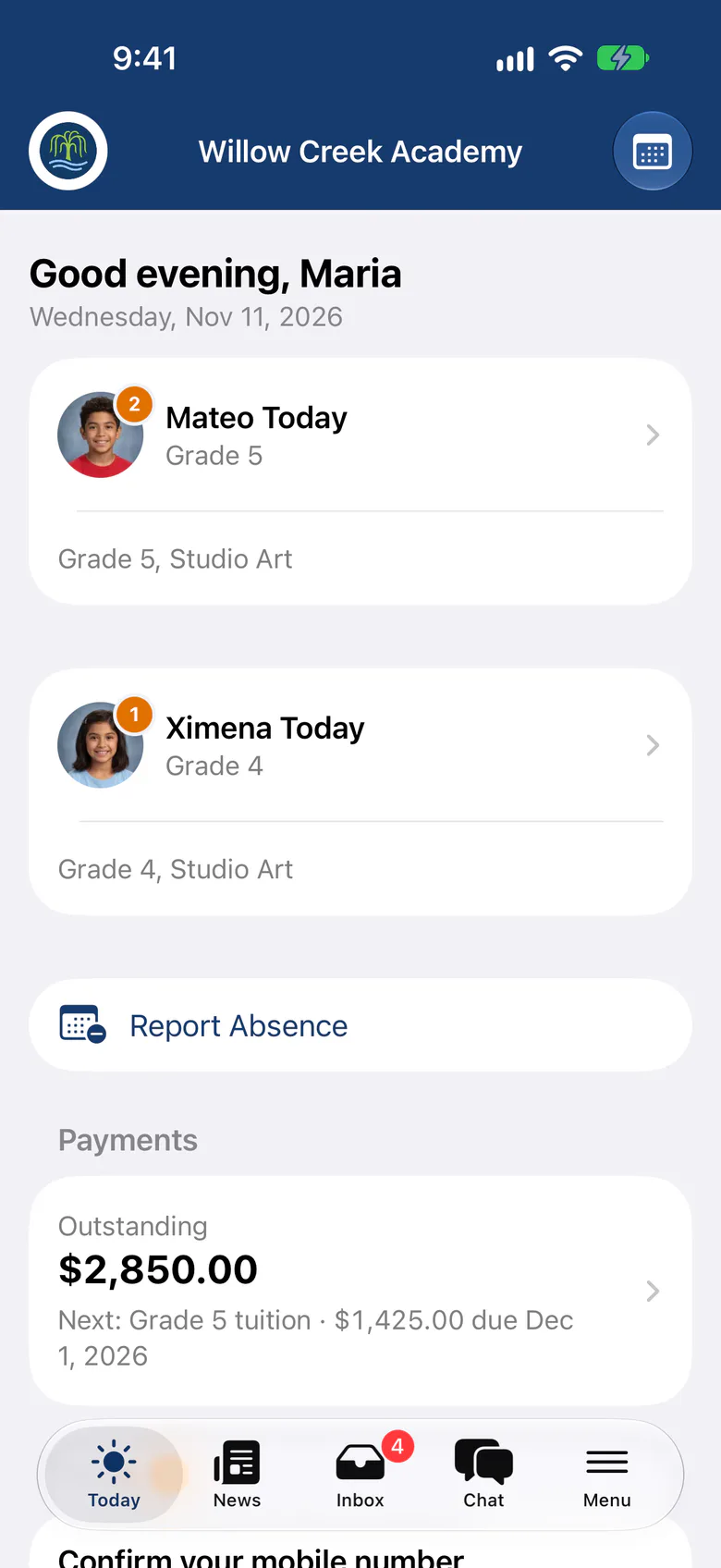
From SchoolCues, The Intelligent School Information Management System
Why it matters
Why is an attendance system important for schools?
Teachers can take daily attendance by hand, but school attendance software records each student accurately, so the school can keep track of tardiness and absences.
Parents want to know their children’s attendance history. The SchoolCues attendance module, part of the school management system, lets a school share each student’s attendance with parents. Because it’s online, busy parents can check it on their smartphones.

Pricing
School Attendance Software Pricing
The SchoolCues attendance module comes with the Student Information System in the Manage plan, at no extra cost. Teachers take and update attendance on their smartphones, even offline, and parents see their child’s latest attendance in the parent app.

For parents
Staying informed is easy with the SchoolCues
The attendance module is easy to use, with features that help teachers and parents:
- Take attendance every day, or mark the whole class present at once
- Track different levels of absence and tardiness with attendance codes
- Enter comments
- Generate custom reports by date range
Parents can see their own child’s attendance in the parent portal and the mobile app.
About SchoolCues
SchoolCues is an online school management system designed for schools with limited budgets, resources and technology. It simplifies admissions, communications, parent engagement, data management and online payments, and it automates everyday school workflows.
Everything is in one place, so a school can manage its communication, payments and parent engagement online.
It gives a school what it needs to manage student information and engage parents in one school management system.
To learn more about this online school management system, explore SchoolCues.
“SchoolCues is a lovely piece of software, reasonably priced, and the leadership is very responsive in resolving issues (a rarity these days!). Parents like the app, especially the permission slips and the tardy/absence forms. They offer parents a super easy way to communicate with the school. The school appreciates the ability to get messages to families in a targeted manner.”
Rebuilt for the way schools work today
Attendance sessions
Take attendance more than once a day, with a due time and reminders for each session.
Check-in kiosk
Families check children in and out on a school iPad, and only approved adults can collect them.
Offline attendance
Teachers keep marking without a signal, and the app sends the marks when it reconnects.
Pricing
Student attendance is included in Manage
One price covers your whole school, including every staff member, every family and the parent app. Pricing follows your enrollment, not how many people use it.
Compare all plans- Everything in Connect
- Student information system (SIS)
- Attendance, check-in and check-out
- Gradebook, report cards and transcripts
- Timetables and class schedules
- Cue, the AI assistant for staff (Beta)
FAQ
Questions schools ask us
Yes. Families see each child’s attendance by month or by term in the SchoolCues app on iPhone and iPad and in any browser.
Yes. Families report an absence or late arrival from the app or the web, ahead of time or after the fact, and the notice appears beside the student when the teacher takes attendance.
Yes. Set up attendance sessions such as morning and afternoon, each with a due time. Teachers get a reminder when a session is overdue, and the office sees which are still outstanding.
Yes. Report cards can include an attendance summary for the grading period.
Attendance is part of Manage, along with absence alerts, check-in and check-out, incident reports, and health and consent records.
Book a demo
Know who’s here, every day
Book a live tour, then take your first attendance in SchoolCues this week.
- A live SchoolCues demo with Q&A
- Your pricing, after the demo
- A plans overview to share with your board

Hosted by SchoolCues founder, Dr S
Every week. Join the group tour, or ask for a call with just your team.
Tell us about your school
Takes a minute. Then choose a session.