
Online Gradebook Software to Increase Parent Involvement
An online gradebook that teachers find quick to use. Record grades your way, issue report cards and transcripts from the same marks, and let families follow progress on the web or in the app.
No setup fees · See pricing


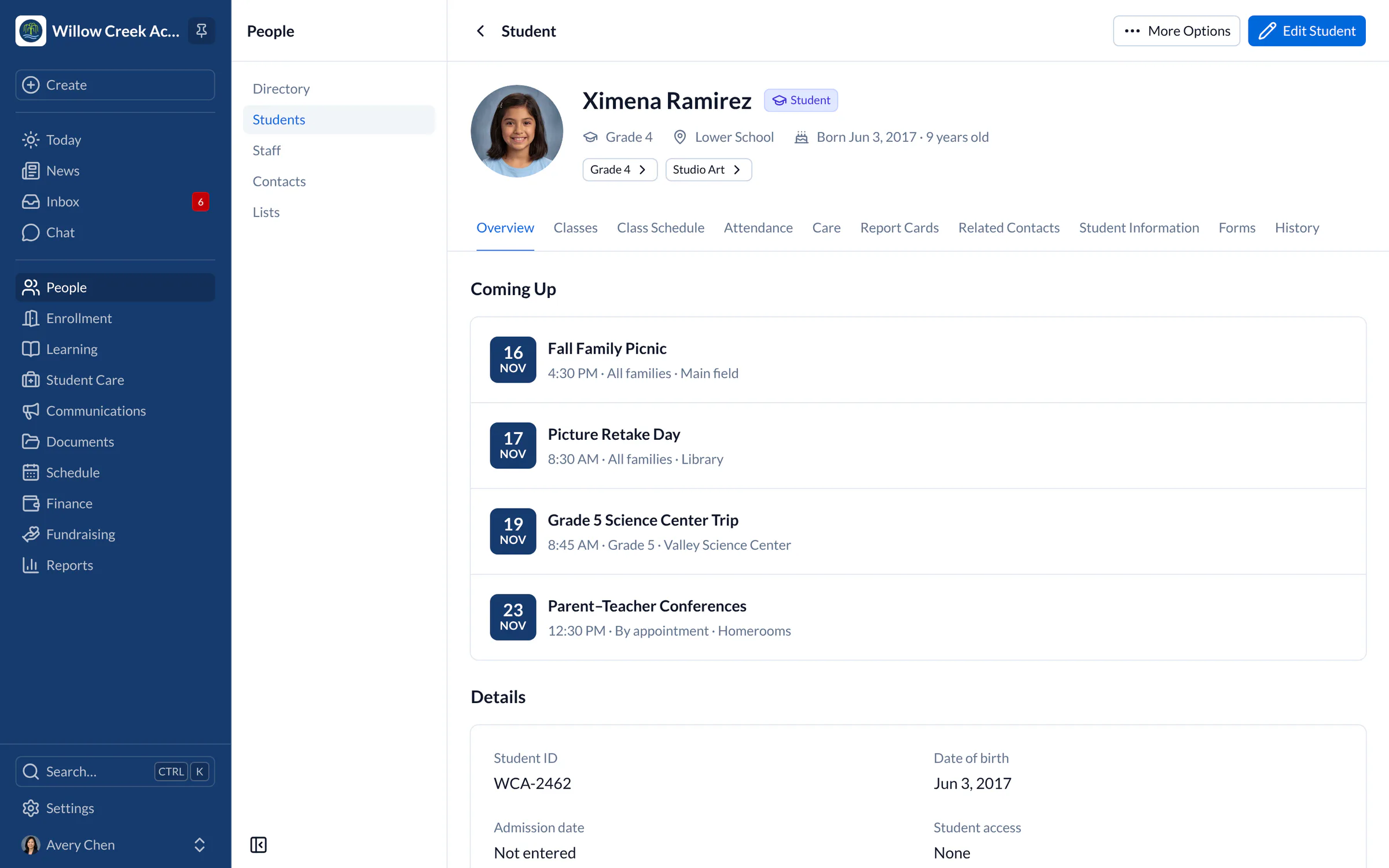
Join 200+ schools using SchoolCues





Grading that fits how your teachers work
Grade your way
Use percent, letter, pass/fail or not-graded subjects, with weighted categories and your own grading scale.
GPA and credits worked out
Credits, GPA and weighted GPA for honors and AP courses are calculated from the results you issue.
Quarters, semesters or trimesters
Add grading periods to each term and see every student’s result for each one.
Report cards from the same marks
Issue report cards and transcripts as PDFs on your letterhead, straight from the gradebook.
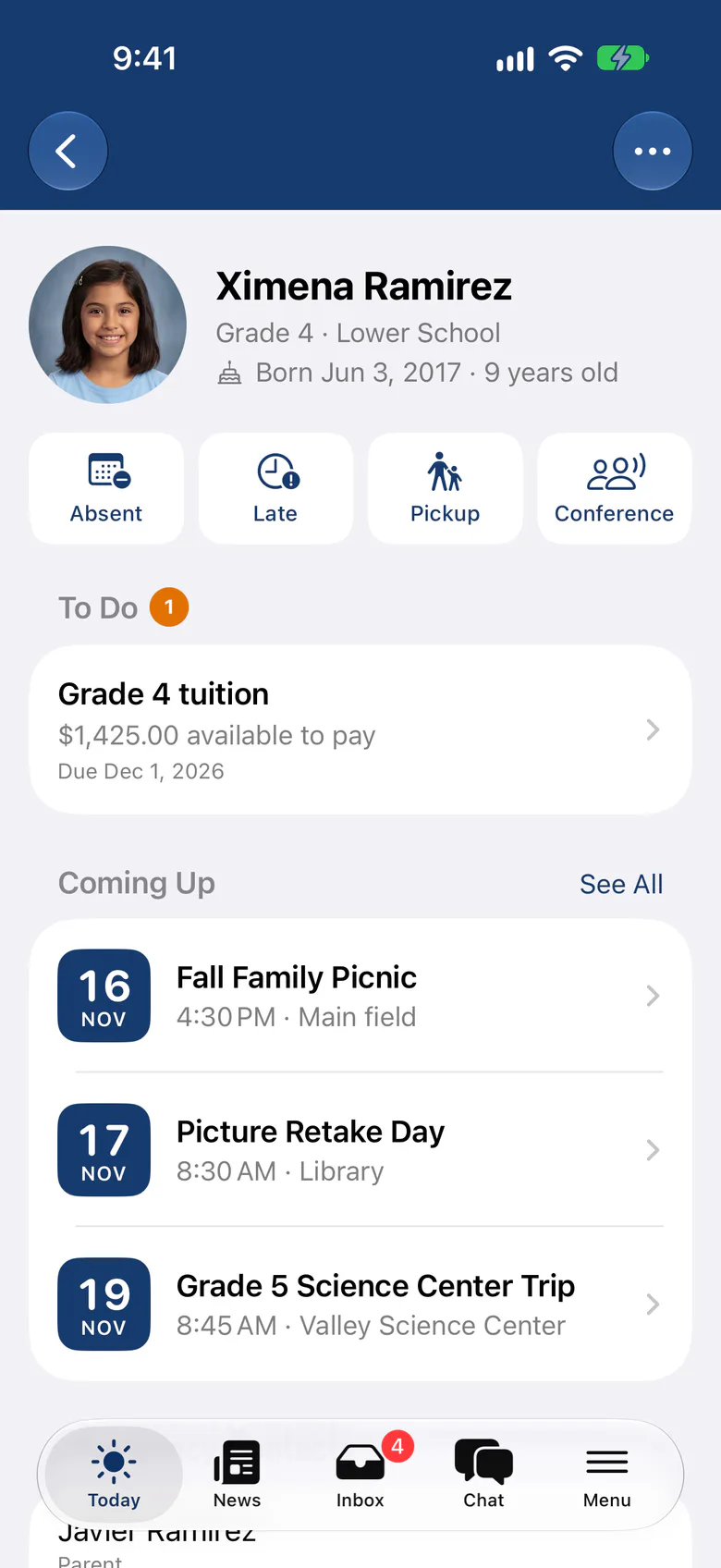
Families see what you issue
Parents see issued report cards and grades for their own children, never marks you haven’t released.
Help with comments
Draft with AI suggests report card comments for teachers to edit. Student names never leave SchoolCues.
Reports
Report cards and transcripts in minutes, not weekends
When a course is ready, issue its results. Report cards and transcripts build from those results with your template, letterhead, GPA and teacher comments.
- Grading period, semester, consolidated and final report cards
- Transcripts in all-year, semester or trimester format
- Families open them from their child’s Reports tab
Attendance
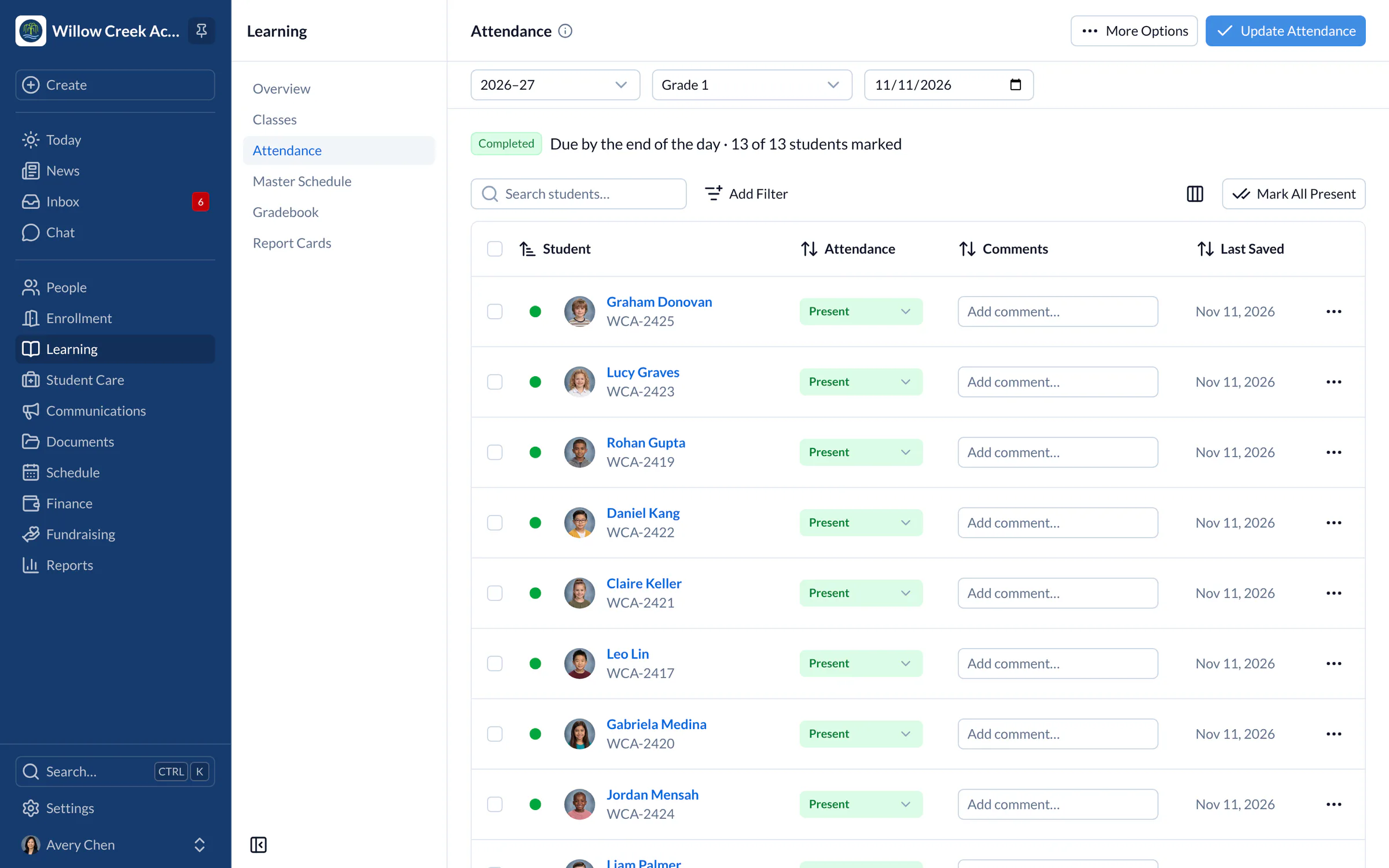
Attendance and grades in the same record
Teachers take attendance in a few taps, with family absence notices beside each student, and report cards can include an attendance summary for the term.
- Mark All Present, then change only the exceptions
- An optional attendance block on report cards
The best electronic Gradebook with Intuitive Interface
Teachers and families
Gradebook with Intuitive Interface, Connecting Teachers, Parents and Students
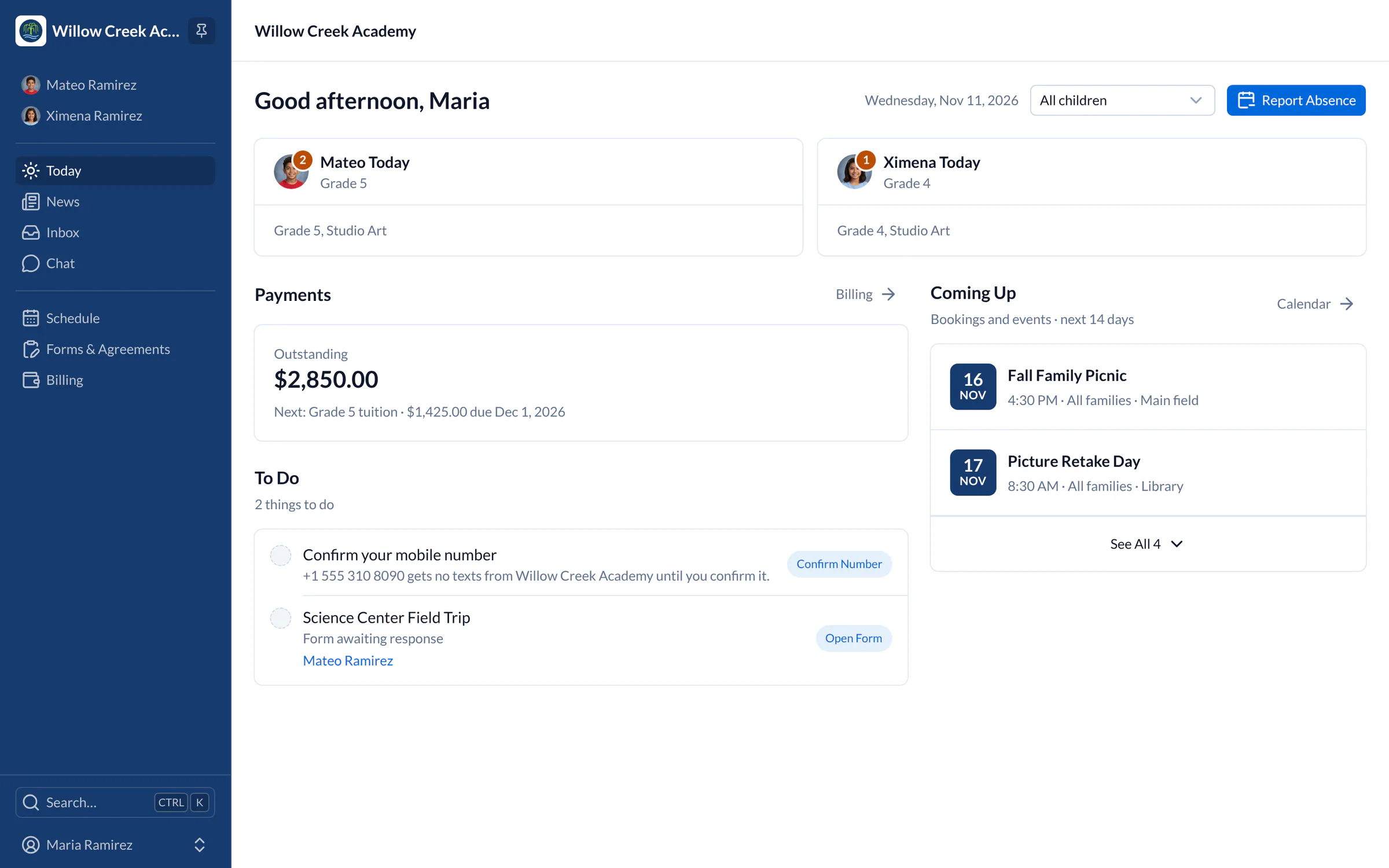
School administrators manage students, classes, schedules, attendance and custom data, and they have to do it on a budget. The SchoolCues online teacher gradebook puts student performance where everyone can see it.

Grades, homework and report cards
Teachers record grades quickly and get flexible grading options, weighted assignment categories and more. They can post homework with a due date in a class message. Parents sign in to track progress once grades are issued. When the term ends, teachers can generate report cards and transcripts in minutes, straight from the gradebook.

Enter grades once and share them
The online gradebook app helps small and medium-sized schools on a budget start transforming grading processes. When teachers enter data once and it flows straight from school to parent, everyone saves time.
Because the gradebook is part of the SchoolCues school management software, everyone who needs grades can check them online. Teachers find it easy to enter grades and quick to share them.
Paperless
Online Gradebook software for Teachers
SchoolCues is paperless and easy to maintain: one place for your school to host, track and manage student data. The online gradebook software, included in Manage, makes reporting simpler. It works on desktop and mobile, and Manage starts at $79/month USD, billed annually, for up to 10 active students.

Features
Key Features of SchoolCues' Online Grading System
The gradebook makes it easy to record student grades. It supports percent, letter, pass/fail and not-graded subjects, with credits, GPA and weighted GPA. Grades flow into transcripts, progress reports and report cards, and teachers can share a Missing Assignments report with families.
Benefits
Benefits of the SchoolCues Gradebook app for Teachers
- Teachers can open the gradebook online from anywhere, at any time.
- Grades and assignments are quick to record.
- It’s flexible, so changes are easy to make.
- The interface is simple, so training teachers takes less time.
- The gradebook is part of the school management software, so grades teachers enter are available to school administrators and parents too.
Ready to move your grades online? Here’s how to get online gradebooks ready for a new school year.
Why SchoolCues
Why choose Schoolcues?
Schools and parents need one school management system with a built-in gradebook that also handles school communications.
When grading happens online in a simple, low-cost gradebook, teachers spend less time on paperwork and more time teaching.
SchoolCues is an online school management system for every kind of school, including Montessori, independent, Christian and charter schools, and it keeps parents engaged.
To simplify your school administration and increase parental engagement, compare SchoolCues plans and book a demo.
“SchoolCues brings all the tools our small school needs into one powerful platform helping us manage complex administrative demands with ease and even automate more than we expected. The team is responsive, collaborative, and genuinely values customer input that makes a real difference.”
Rebuilt for the way schools work today
Trimesters and grading periods
Report on quarters, semesters or trimesters, with each period’s result worked out from the assignments in it.
Attendance on report cards
Add a term’s attendance summary to report cards, so families see it beside the grades.
Google Classroom sync
On Unify, teachers add a class to Google Classroom from SchoolCues, and its roster stays in step.
Pricing
Online gradebook is included in Manage
One price covers your whole school, including every staff member, every family and the parent app. Pricing follows your enrollment, not how many people use it.
Compare all plans- Everything in Connect
- Student information system (SIS)
- Attendance, check-in and check-out
- Gradebook, report cards and transcripts
- Timetables and class schedules
- Cue, the AI assistant for staff (Beta)
FAQ
Questions schools ask us
Teachers post homework as a class message with a due date, and families see it in their Inbox and the app. Students hand in their work the way your school already does.
Percent, letter, pass/fail and not-graded subjects, calculated by total points, weighted categories or normalized averages, with credits, GPA and weighted GPA.
Families see results once a course is issued, along with issued report cards and transcripts. You choose which reports families can open.
The gradebook, report cards and transcripts are part of Manage, starting at $79 a month billed annually for up to 10 students.
Book a demo
Give your teachers a gradebook they’ll use
Book a live tour, then set up your grading scale, courses and first report card template.
- A live SchoolCues demo with Q&A
- Your pricing, after the demo
- A plans overview to share with your board

Hosted by SchoolCues founder, Dr S
Every week. Join the group tour, or ask for a call with just your team.
Tell us about your school
Takes a minute. Then choose a session.