
Online School Donations, Simplified
Online school donations, made simple. Create a campaign with a goal and suggested amounts, share its giving page, and let anyone give by card or bank account without signing in.
No setup fees · See pricing
Join 200+ schools using SchoolCues






Fundraising that fits a busy school office
Campaigns with a goal
Set a goal, dates, a description and a photo, and watch progress as gifts come in.
Give without an account
Share the campaign’s public giving page, so grandparents, alumni and neighbors can give too.
Suggested amounts
Offer up to six suggested amounts, and choose whether donors can enter their own.
A receipt for every gift
Donors get a receipt with your school’s tax ID once their gift is received.
Reports for your board
Save campaign and donation reports, ready to share when the board meets.
Families give from their account
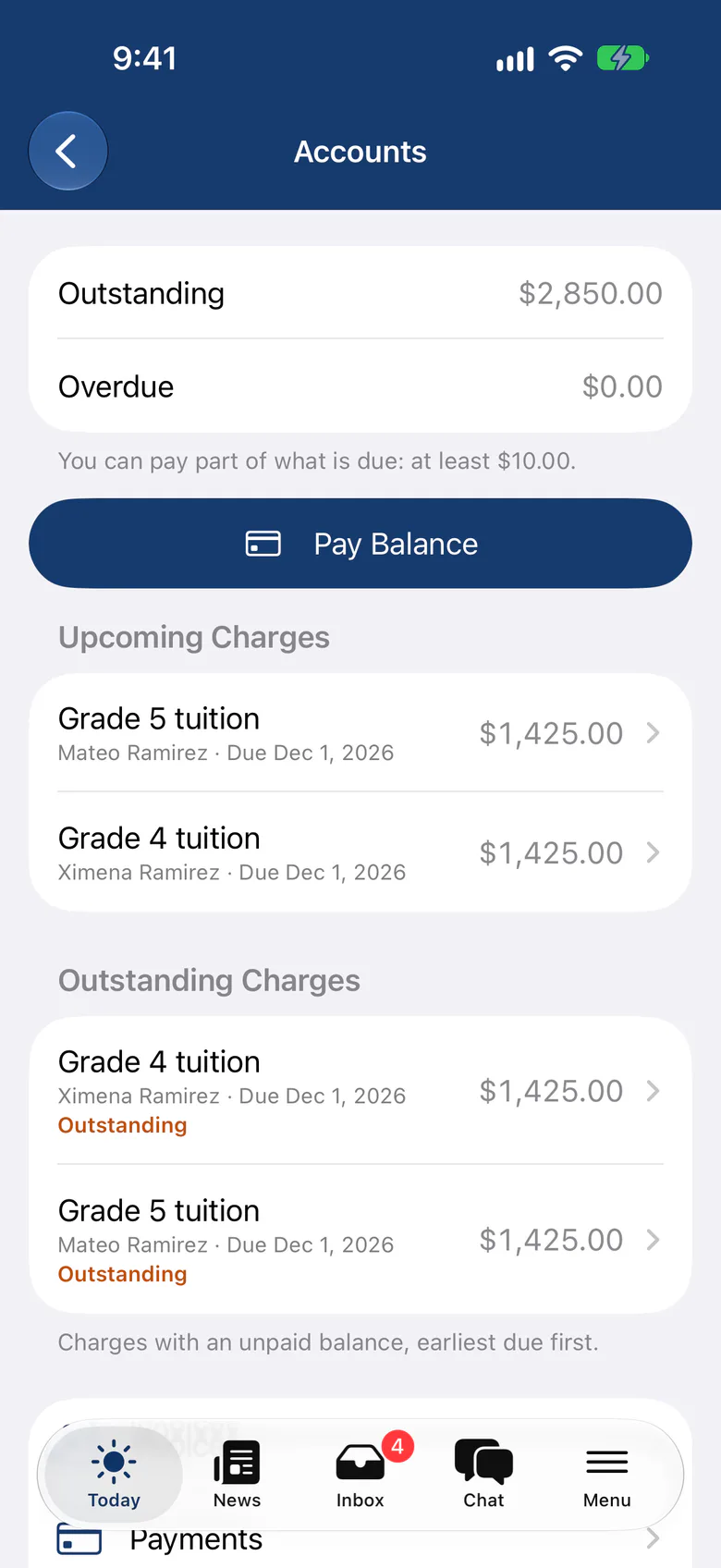
Signed-in families give from Donations, and their receipts sit with their other payments.
Campaigns
A giving page for every campaign
Publish a campaign and share its link on your website, in a newsletter or by text. Close it when you reach your goal, and reopen it if you need to.
- Donors give without creating an account
- Progress toward your goal on the page
- Archived campaigns keep their gifts and reports
Receipts
Every gift accounted for
Each received gift gets a PDF receipt, and families who give while signed in find theirs in Billing.
- Receipt page and receipt email for public donors
- Gifts posted to donation income
- Campaign and donation reports
Fundraising
Easy online fundraising for schools
How is your school managing donations at the moment? You may be paying too much for a fundraising system that’s confusing and still doesn’t do what you need. Some schools run their operations on a handful of platforms, with a separate one just for fundraisers.
Before long, going back and forth between different websites gets chaotic, and the piling costs only add to the stress. What you need is one platform that does it all, with a donation module that’s easy to use and a simple way to give. That’s what SchoolCues online school donations are built for, and they can change the way your school fundraises.
How it works
How Our Donation Module Works
The SchoolCues school donations module makes it easy for schools to set up donations and fundraisers. You can set up different kinds of donations in three steps.
1. Set up campaign name and info
Your campaign name and info are the first thing potential donors see when they make a donation. Name your campaign, then write a few paragraphs about its goals and how each donor’s gift will contribute to the overall campaign. Don’t forget to add a picture to the campaign description.

2. Customize the donation form
Choose up to six suggested amounts and decide whether donors can enter their own. The form asks only for what a gift needs: the amount, the donor’s name and email, and their payment details. It takes seconds.
Donors can pay online by card or bank account, or mail or drop off cash or a check at your school office.
3. Add the donation link to your website
Finally, put the link to the donation form on your school website so donors can find it and contribute. It takes them to the campaign’s giving page, where they can give without signing in.
That’s all it takes.

Campaign ideas
What Types of School Donation Programs Can I Set-Up on This Platform?
You can set up any kind of school fundraiser on SchoolCues, as long as the platform only collects monetary donations. For example, for a school supply drive you could offer donors two options: give money through the donation page or drop off supplies at the school. Explain both options in your campaign description so donors know what to do.
Who we serve
Types of Schools We Serve
SchoolCues serves schools of every kind, including Montessori, Christian, charter, Lutheran, Waldorf, Catholic, independent, private, Islamic and Episcopal schools, as well as online schools, homeschools and micro-schools. It’s built for schools with limited budgets and resources that want one easy platform for their regular school operations.
Mobile giving
The Best, Most Efficient Fundraising Website For Schools
If you’re searching for online fundraising sites for schools, take a look at SchoolCues. We built it around what schools need: it’s affordable and easy to use, and you can customize it to fit your school’s needs and preferences.
Donors can also give from their smartphones, which makes it more convenient for them. School donations don’t get much simpler. Book your demo today.
“SchoolCues is an all-in-one, easy-to-use platform that delivers everything a small school needs and more. We’ve found every feature valuable and couldn’t be happier. We highly recommend it for small schools.”
Rebuilt for the way schools work today
Public giving pages
Each campaign can have its own page that anyone can give from, no login needed.
Campaign photos
Add a photo to each campaign, so donors see what their gift will support.
Today banners
Pin a school news post about your campaign to the top of every family’s Today page while it runs.
Sponsorships
Offer sponsorship tiers to local businesses, with their logo on your website, and renewals and receipts sent for you.
Business directory
Families and staff list their businesses for the school community, and can sponsor the school from their listing.
Fundraising overview
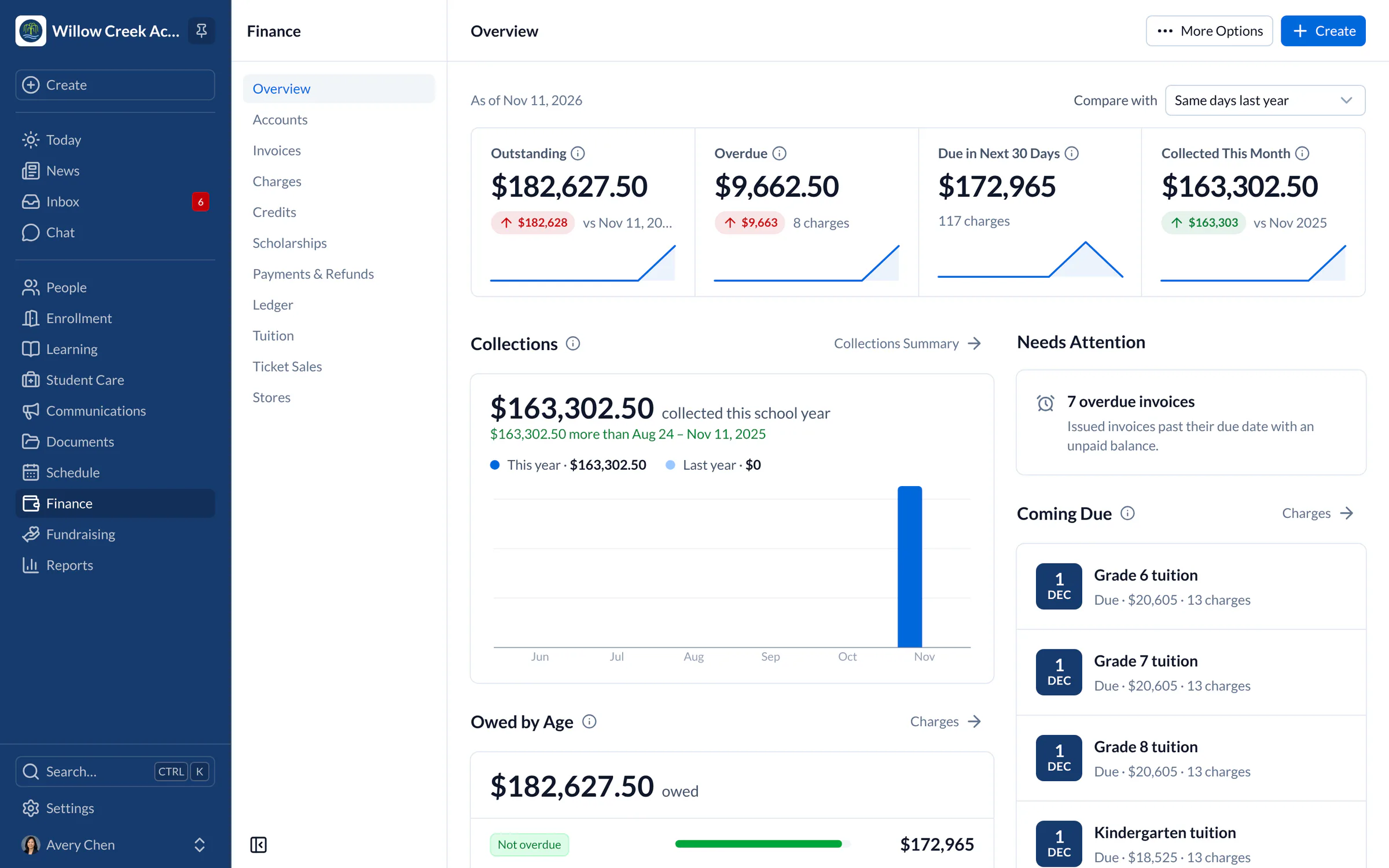
See giving by month, each campaign’s progress and the latest gifts on Fundraising’s overview.
Pricing
Online donations is included in Connect
One price covers your whole school, including every staff member, every family and the parent app. Pricing follows your enrollment, not how many people use it.
Compare all plans- Messages, news, class updates, texts and WhatsApp
- The SchoolCues app and family portal
- Calendar, events, sign-ups and conferences
- Documents, forms and e-signatures
- Tuition, payments and financial aid
- Donations, giving pages and the school store
FAQ
Questions schools ask us
No. A campaign with public giving has its own page that works without signing in. Families who are signed in can also give from Donations.
By card or bank account on the campaign’s giving page, processed through your school’s own Stripe account.
Yes. Once a gift is received, the donor gets a receipt with its number, date and your school’s tax ID.
Donations are part of every plan, along with tuition and invoicing, payments and autopay, and scholarships.
Book a demo
Run your next fundraiser from one place
Book a live tour, then publish your first giving page.
- A live SchoolCues demo with Q&A
- Your pricing, after the demo
- A plans overview to share with your board

Hosted by SchoolCues founder, Dr S
Every week. Join the group tour, or ask for a call with just your team.
Tell us about your school
Takes a minute. Then choose a session.