
Management Software for Learning Pods and Homeschool Co-ops
Co-ops and learning pods are usually run by the parents who teach in them, in between everything else. SchoolCues gives you one place to list classes, take sign-ups, collect fees and keep everyone up to date, without a pile of group chats.
No setup fees · See pricing

Join 200+ schools using SchoolCues





Run by parents, for parents
Class sign-ups
Families pick their classes online, with a waitlist when a class fills.
Fees per class
Charge for each class or a term fee, and families pay by card or bank account.
Parents who teach
Give parent teachers access to their own classes and nothing else.
Fewer group chats
Message the whole co-op, one class or one family from one place.
Waivers and forms
Collect signed waivers and medical forms once, and keep them on file.
A shared calendar
Field trips, park days and class times on one calendar families can sync.
Sign-ups
Class sign-ups and waitlists
Publish your classes for the term, and families choose the ones they want. When a class fills, a waitlist starts, and every class roster is up to date.
- Put meeting days, park days and field trips on one calendar families can sync.
Teachers
Parents who teach
Give parent teachers access to their own classes and nothing else. They take attendance, share notes and message their class’s families from their phones.
- If your pod becomes a school, records, grades and tuition are already there.

Fees
Fees without the payment app
Charge per class or a term fee, and families pay by card or bank account. You see who has paid without asking around.
Explore tuition management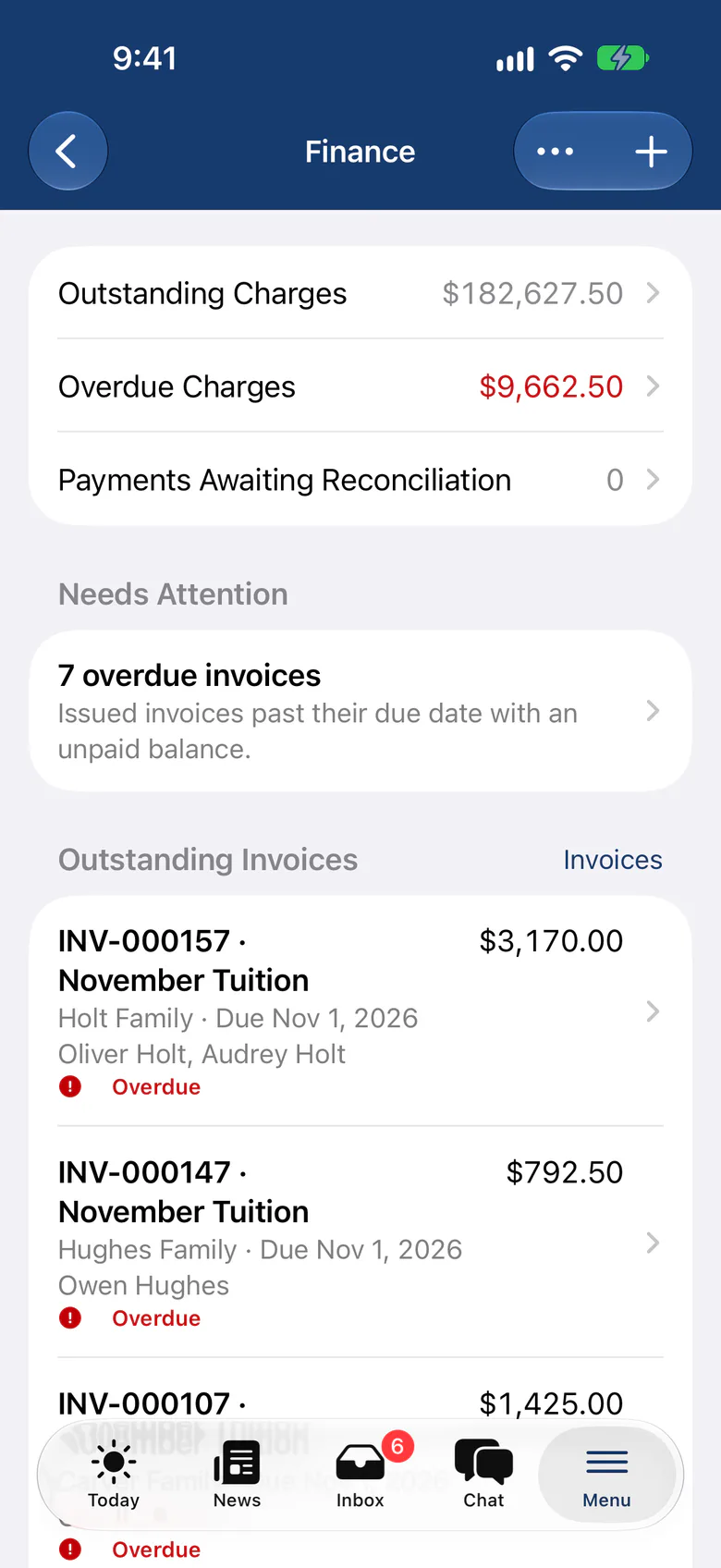
“The All-in-One system is easy to set up. It has great features for communicating with parents in several different ways. Our parents appreciate that SchoolCues is very user friendly. Sending contracts electronically and storing information has been extremely easy. Our teachers have no difficulty setting up special groups for communications and engagement. Customer support is wonderful.”
How it works
Up and running in your first week
- Step 1
List your classes
Add this term’s classes, teachers and fees.
- Step 2
Invite families
Families sign up for classes and pay online.
- Step 3
Collect waivers
Every family signs the waiver and medical form once.
- Step 4
Meet
Teachers take attendance on their phones, and news goes out in one message.
Pricing
For learning pods and co-ops, we recommend Manage
One price covers your whole school, including every staff member, every family and the parent app. Pricing follows your enrollment, not how many people use it.
Compare all plans- Everything in Connect
- Student information system (SIS)
- Attendance, check-in and check-out
- Gradebook, report cards and transcripts
- Timetables and class schedules
- Cue, the AI assistant for staff (Beta)
FAQ
Questions schools ask us
No. Use only the parts you need. Pricing is based on how many students you have.
Yes. One person can teach a class and be a parent in the same co-op.
Yes. Add a fee to each class, and families pay for the ones they choose.
Yes. Every plan starts with a free 30-day trial and no setup fee.
Book a demo
See SchoolCues for your co-op
Book a live tour and see sign-ups, fees and waivers for your co-op.
- A live SchoolCues demo with Q&A
- Your pricing, after the demo
- A plans overview to share with your board

Hosted by SchoolCues founder, Dr S
Every week. Join the group tour, or ask for a call with just your team.
Tell us about your school
Takes a minute. Then choose a session.