
School Management Software for Church of God Schools
Church of God and Church of God in Christ schools reach families by text, app and email, whichever each family reads first. SchoolCues sends every message all three ways and keeps tuition simple for families and the office.
No setup fees · See pricing



Christian schools using SchoolCues






Keep busy families in the loop
Reach every family
A text, an app notification and an email go out together, so a family without email still gets the message.
One account for the whole family
Parents see every child, every bill and every form in one place, not one login per child.
Sibling pricing and payment plans
Discounts for brothers and sisters apply on their own, and families can spread tuition across the year.
Scholarships on the account
Apply a scholarship to a student and see it on every invoice that follows.
Summer and after-school programs
Run summer programs and after-care as their own classes, with their own charges and sign-ups.
Know who’s picking up
Approved pickups and custody notes sit on each student’s record.
A day with SchoolCues
A day at your school
Communication
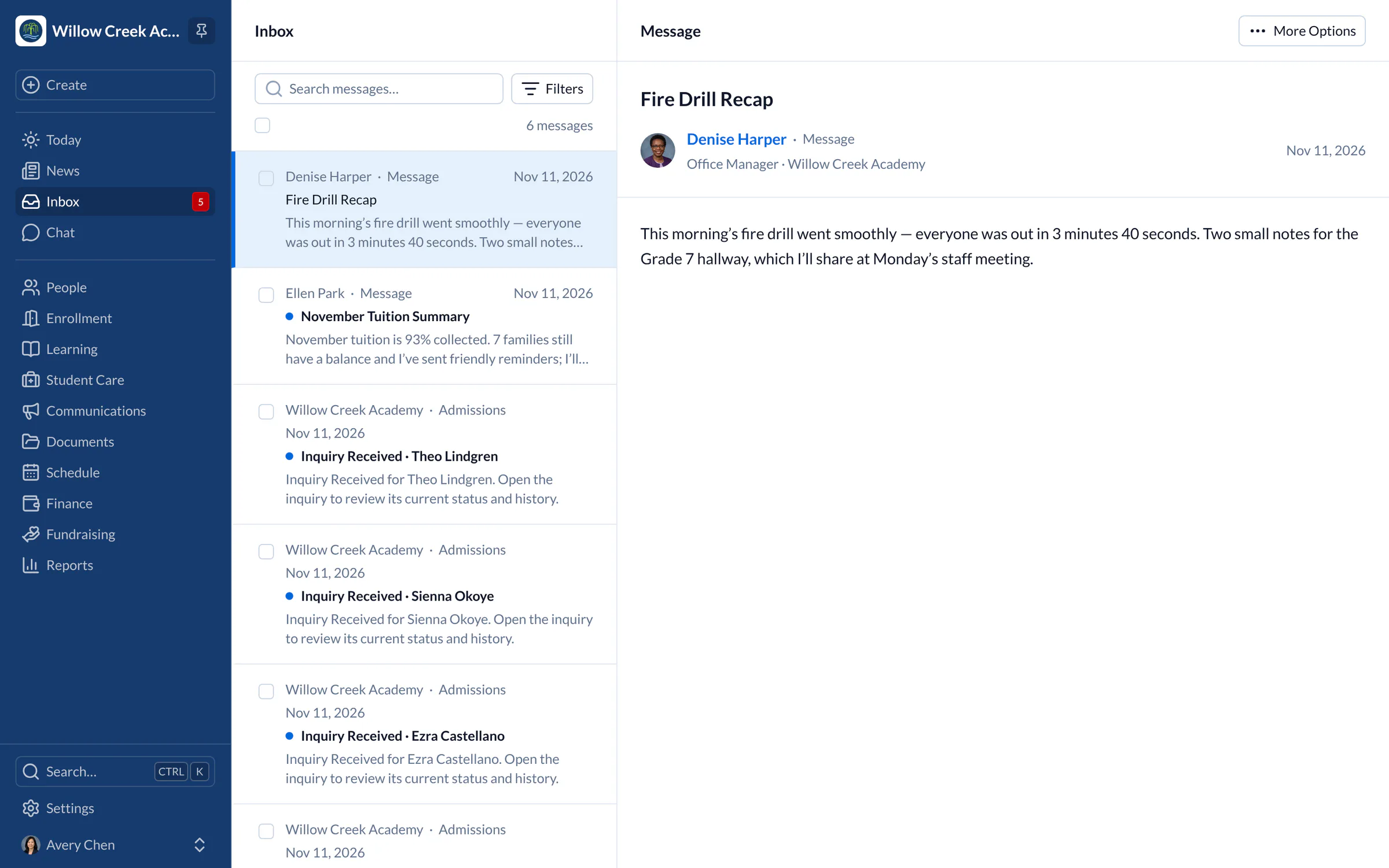
Messages by app, email and text
Write a message once, and every family gets it the way they read it. Urgent notices go straight away, and quiet hours hold ordinary texts overnight. When a family replies to a text or app message, it comes back to the school’s shared conversations, not to someone’s personal phone.
- Families sign up for lunch duty and events online and get a reminder before their slot.
Student records
Student information system for Church of God schools
Contacts, health notes, approved pickups and documents live on each student’s profile. A family with several children has one account that shows them all.
- Families inquire, apply and sign the enrollment agreement online, from a phone if that’s easiest.
Student

Ximena Ramirez Student
Grade 4Lower SchoolBorn Jun 3, 2017 · 9 years old
Coming Up
- 7OctFall Family Picnic4:30 PM · All families · Main field
- 12OctPicture Retake Day8:30 AM · Grade 5 · Library
- 12OctGrade 5 Science Center Trip8:45 AM · Grade 5 · Valley Science Center
Details
Student IDWWA-2462
Date of birthJun 3, 2017
HomeroomGrade 4
CampusLower School
- Grade 42026–27
- Studio Art2026–27
No class schedule yet
They’ll appear here when they’re added.
Present
21
Absent
0
Late
1
This school year, from every attendance take.
No care yet
They’ll appear here when they’re added.
No report cards yet
They’ll appear here when they’re added.
- AllergiesPeanuts · EpiPen in the front office
- ImmunizationsUp to date
No forms yet
They’ll appear here when they’re added.
No history yet
They’ll appear here when they’re added.
Tuition
Tuition families can manage
Families see what they owe in the app and pay by card or bank account. Payment plans spread tuition across the year, and autopay takes care of each month. The office sees who is behind without opening a spreadsheet.
Explore tuition management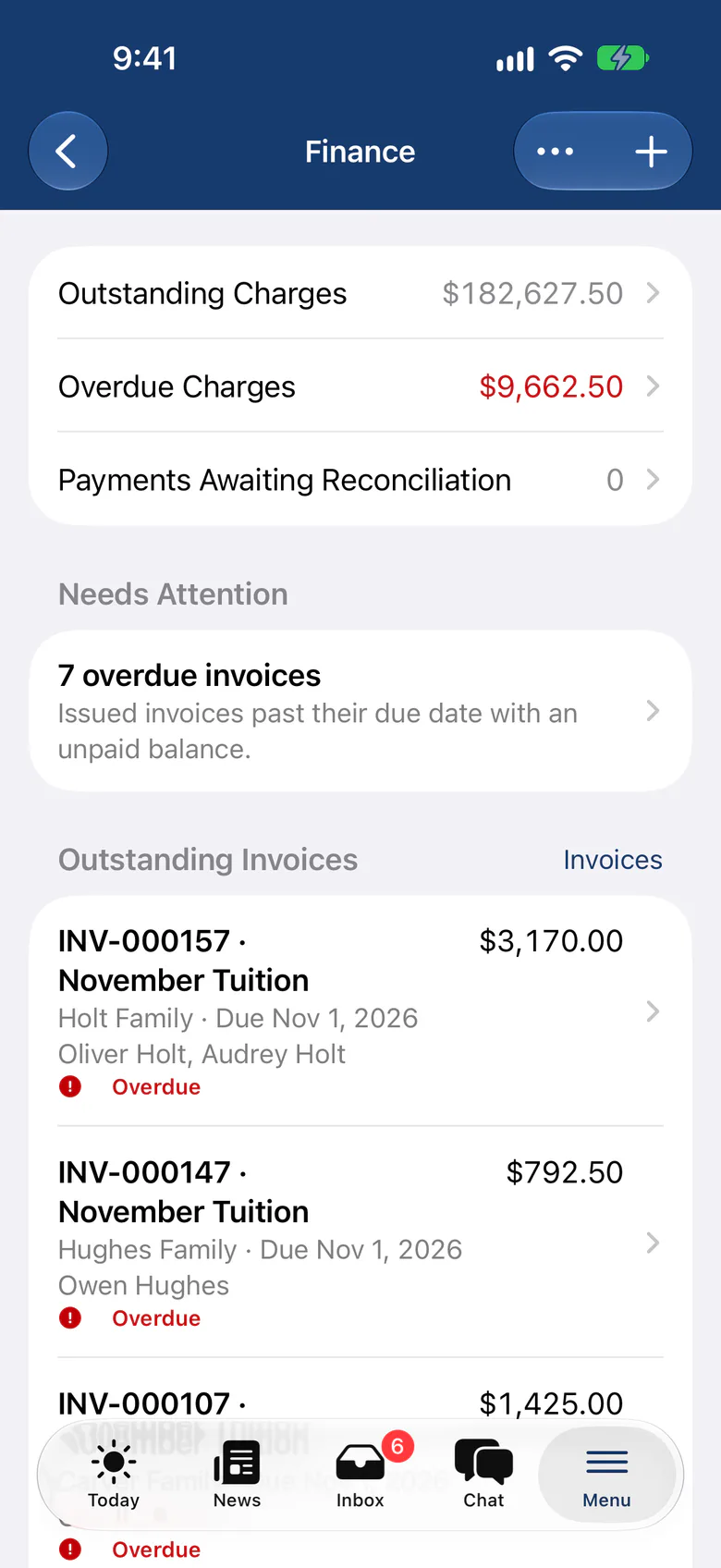
“SchoolCues is an all-in-one, easy-to-use platform that delivers everything a small school needs and more. We’ve found every feature valuable and couldn’t be happier. We highly recommend it for small schools.”
Pricing
For Church of God schools, we recommend Manage
One price covers your whole school, including every staff member, every family and the parent app. Pricing follows your enrollment, not how many people use it.
Compare all plans- Everything in Connect
- Student information system (SIS)
- Attendance, check-in and check-out
- Gradebook, report cards and transcripts
- Timetables and class schedules
- Cue, the AI assistant for staff (Beta)
FAQ
Questions schools ask us
Every message also goes by email and text, so families who never open the app still hear from you.
Yes. Set up payment plans and families can turn on autopay.
Yes. Each parent or guardian has one login that shows all of their children.
Pricing is based on enrollment, with no setup fee and a free 30-day trial.
Book a demo
See SchoolCues for your school
Book a live tour and see messages, tuition and records working together.
- A live SchoolCues demo with Q&A
- Your pricing, after the demo
- A plans overview to share with your board

Hosted by SchoolCues founder, Dr S
Every week. Join the group tour, or ask for a call with just your team.
Tell us about your school
Takes a minute. Then choose a session.