
Learning Management System: 5 Must-Have Features
A learning management system runs your lessons. SchoolCues handles everything around them: messages, reminders, forms, calendars and the parent app, so your school and its families stay connected.
No setup fees · See pricing


Picture day is Thursday
Message Details
Message typeMessage
Categorye.g. Weekly learning
Checklist
 SCHOOLCUES · now
Picture day is Thursday
Smiles on! Class photos start at 9:00 a.m. Order forms are in your child’s folder, or order online by Friday.
MESSAGES · now
Weeping Willow Academy: Picture day is Thursday. Smiles on! Class photos start at 9:00 a.m. Order forms are in your child’s folder, or order online by Friday.
MAIL · now
Weeping Willow Academy
Picture day is Thursday
Smiles on! Class photos start at 9:00 a.m. Order forms are in your child’s folder, or order online by Friday.
Join 200+ schools using SchoolCues






The must-haves, and where SchoolCues fits
Reach families on every channel
Send newsletters, announcements, reminders and texts from one composer, by app, email and text.
Move daily paperwork online
Forms, permission slips and sign-ups replace paper, with typed signatures from every guardian.
Protect family information
Staff see only what their role allows, and the app can be locked with Face ID.
Let reminders do the chasing
Forms, sign-ups and tours send their own reminders, so the office doesn’t have to.
Keep the school in every pocket
One SchoolCues app for iPhone and iPad serves families and staff, included in every plan.
Work beside the LMS you already use
Keep online lessons in your LMS. SchoolCues runs family communication and forms, and adds attendance, grades and report cards on Manage.
Beside your LMS
SchoolCues runs the school around your lessons
SchoolCues isn’t a learning management system: it doesn’t host online courses or video lessons, or collect students’ work. It manages the records and family communication an LMS leaves out.
- Attendance with family absence notices on the teacher’s sheet
- Gradebook, report cards and transcripts as PDFs
- Homework notes sent to families with a due date

Reminders
Reminders that go out on their own
Set a deadline once and SchoolCues reminds families before it’s due, so the office stops chasing permission slips.
- Form and permission slip deadlines with reminders
- Sign-up slots and volunteer reminders
- A response register that shows who has signed
Mobile app
One app for families and staff
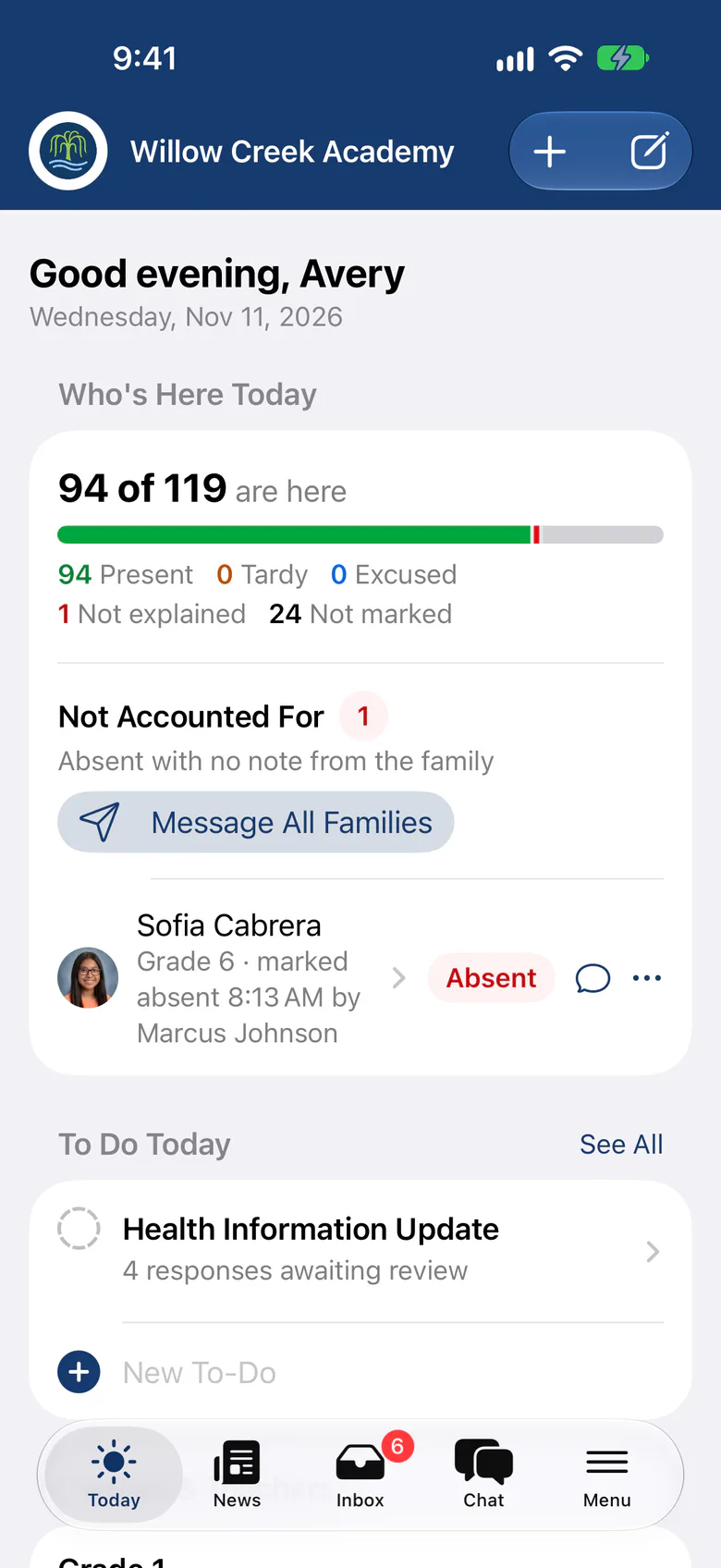
Families read messages, sign forms, check the calendar and report an absence in the SchoolCues app. Staff use the same app to take attendance, look up a student and send class updates.
- Included in every plan, at no cost to families
- Face ID app lock
- Calendar, forms and messages in one place
Choosing a learning management system for your school? Check for a few features first, so you know you’re investing in a system that keeps daily operations running smoothly. Here are five we wouldn’t go without, whatever the size of your school.
- Easy communication comes first, because children learn better when school and home talk to each other. A learning management system without good communication tools isn’t much use. With SchoolCues you can send text messages, newsletters, announcements, calendar reminders and permission slips, and chat privately with families.
- Daily processes online: Payments, admissions and grading belong online by now. There’s no reason for paper to pile up on your desk when a digital option exists. Parents are happier too, because they no longer have to come into the office to enroll their child or pay.
- Secure info: Before you put personal information into an online system, make sure it’s secure. SchoolCues takes security seriously. Each staff member sees only what their role allows, and the mobile app can be locked with Face ID.
- Auto reminders: Schools get tired of reminding parents about every payment due and every permission slip that still needs a signature. Some forget to send reminders at all, which frustrates parents. Everyone is busy, so let the system send the reminders for you.
- Mobile app: Most families check school information on their phones. SchoolCues has one app for both school staff and parents. Parents see newsletters, permission forms, student reports, the calendar, incident reports and attendance. Staff use the same app to take attendance, check students in and out, send class updates and share incident reports.
Running a school well depends on tools that connect administrators, teachers, students and parents. A low-cost, all-in-one school system gives you those tools in one place.
Follow SchoolCues on social media for news and updates.
About SchoolCues
About SchoolCues
SchoolCues is a low-cost, all-in-one school management system for every kind of school. We’ve been helping schools for more than 15 years, including Montessori, private, charter, Christian, Lutheran, Catholic, independent, Islamic and Waldorf schools.
It runs online, without paper, and includes these modules:
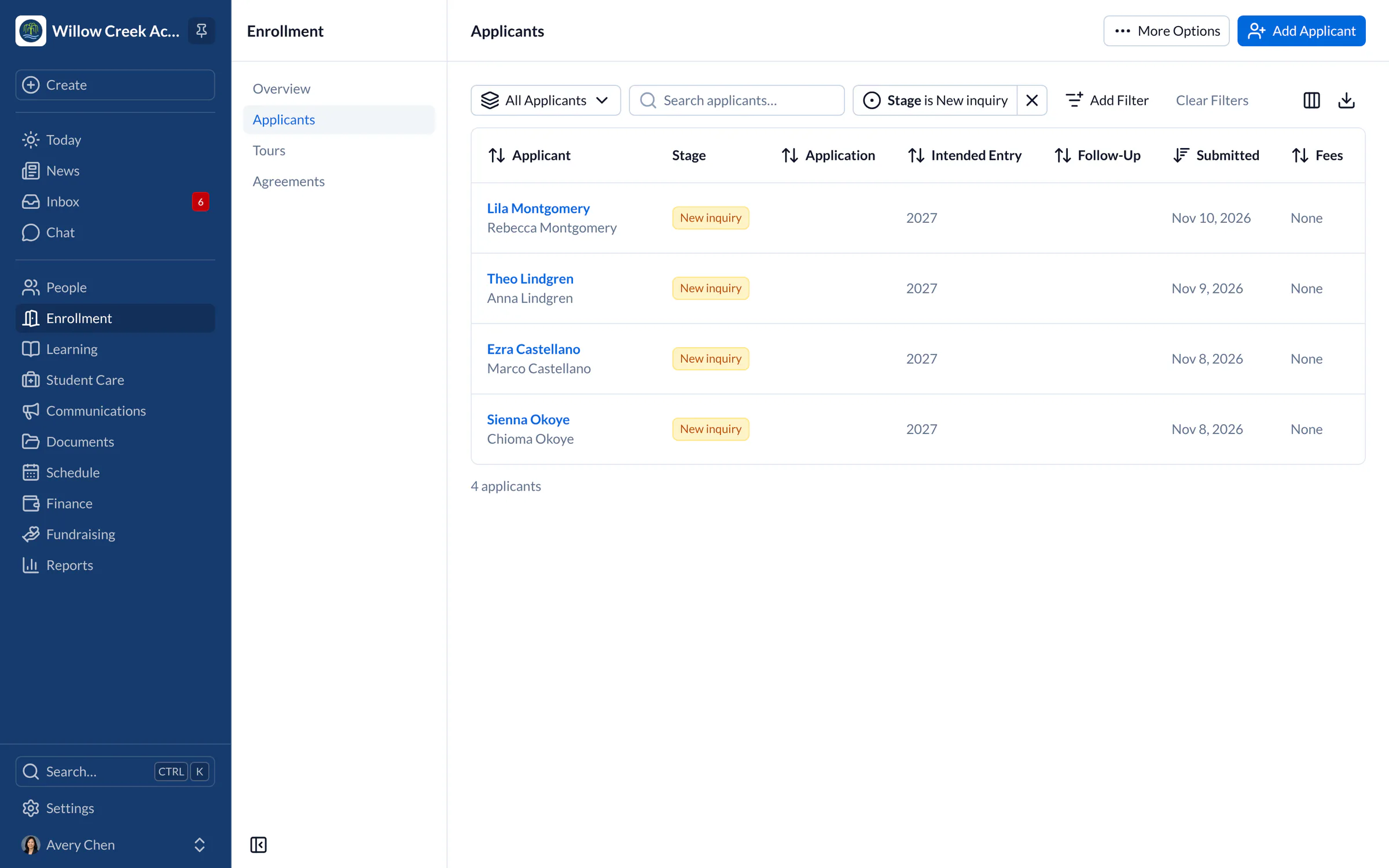
Admissions and Enrollment
- Online inquiry forms
- Custom forms
- Online re-enrollment
- Admissions reports
- Campus tours
- Enrollment contracts
Online Payment Solutions
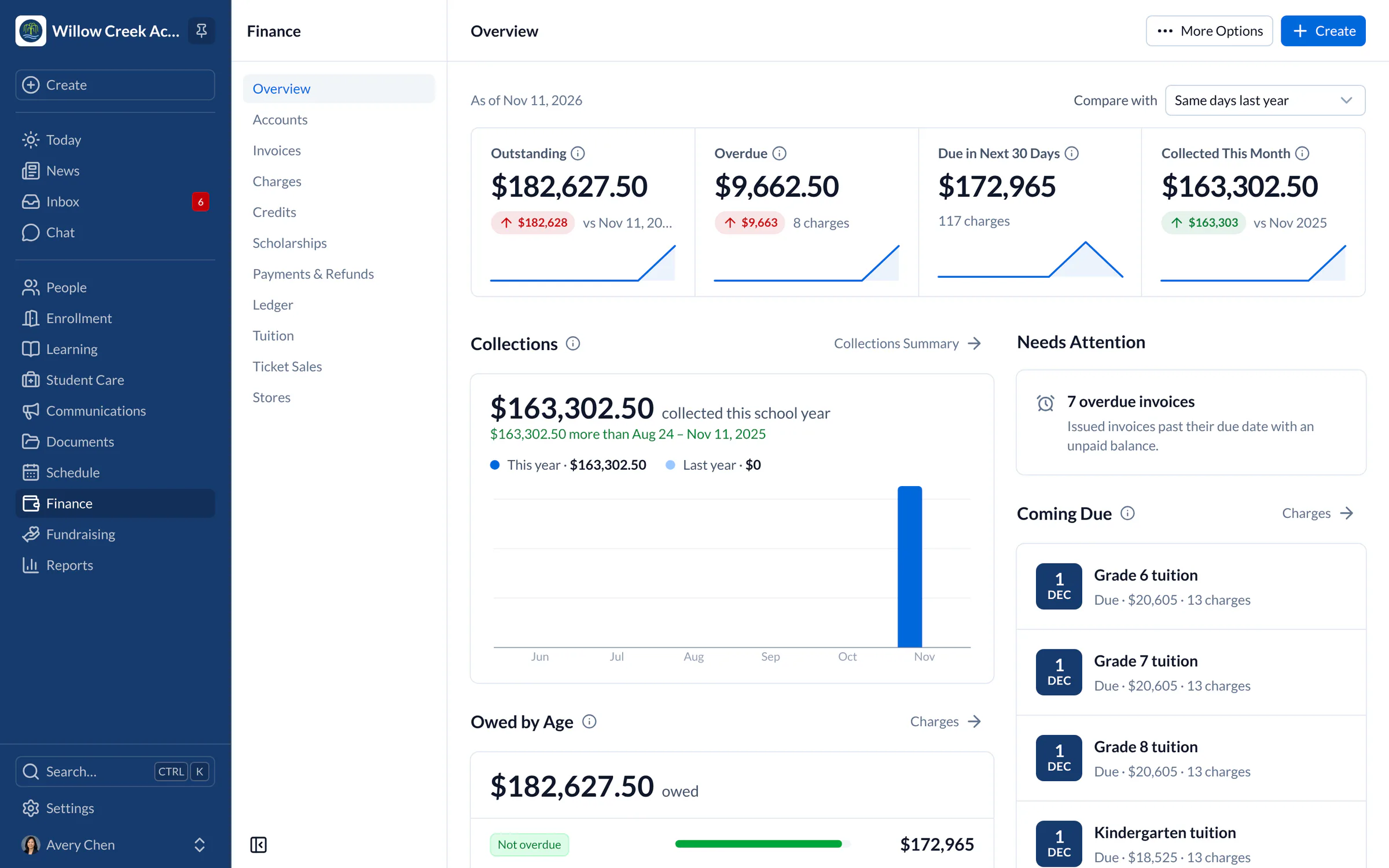
- Various payment options (ACH, credit card, cash and check)
- One-time and recurring payments
- Tuition and miscellaneous payments
- Sibling and family discounts
- Payment reminders and autopay
- Payment reports and tax statements
Student Information System
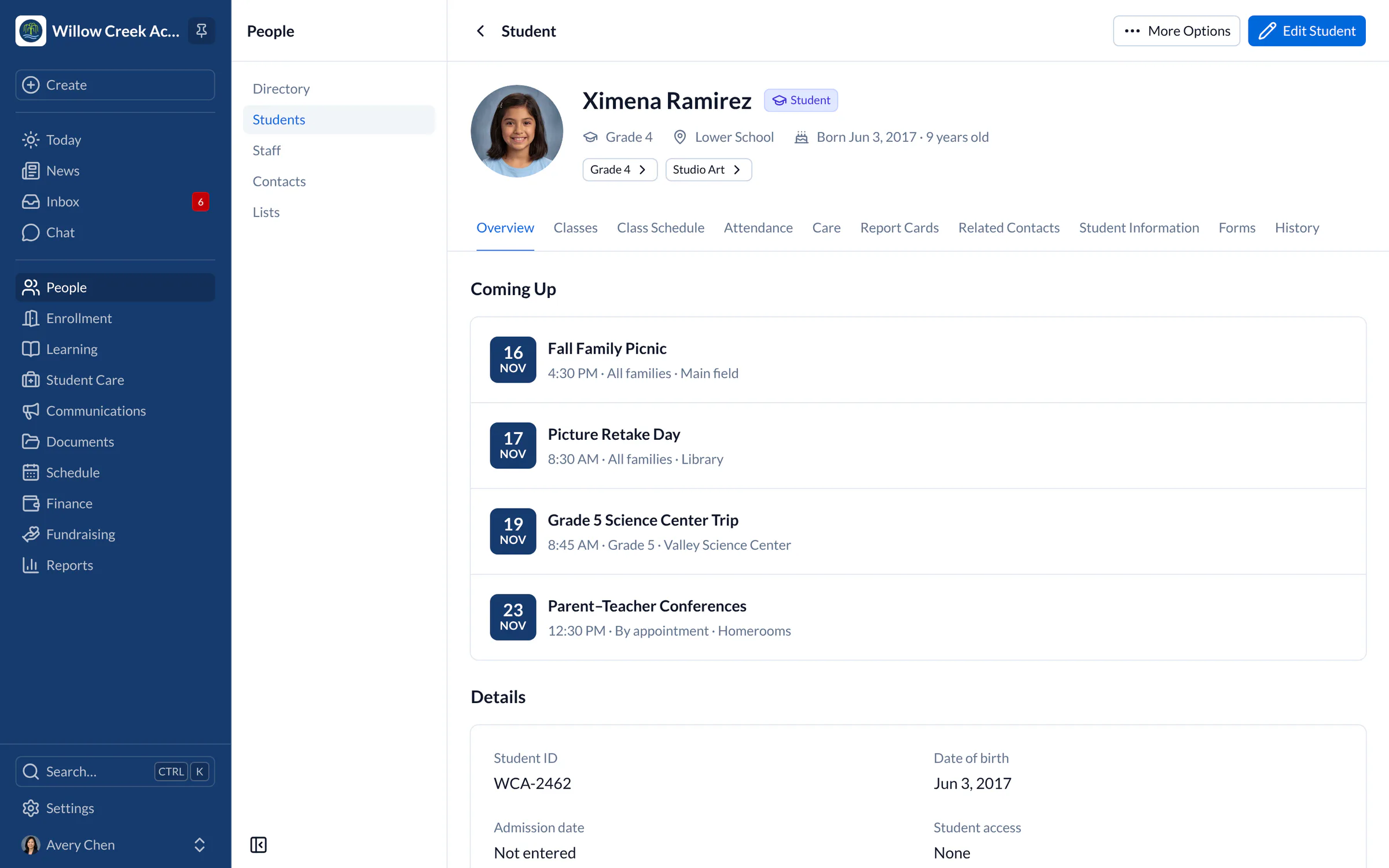
- Contact lists
- Emergency contacts and pick-ups
- Student health data
- Picture/video permissions
- Parent handbooks
- Student dashboard and directory
- Custom reports
Gradebook
- Easy setup
- Efficient recording of grades and assignments
- Transcripts and report cards
- Multiple grading and reporting formats

Communications/Parent Engagement
- Newsletters
- Announcements
- School calendar
- Two-way chat with families
- Absence notices
- Permission forms
- Late arrival notices
- Early pickup requests
- Check-in/check-out
- Text alerts
Modules that work together
We build low-cost tools that make school administration simpler for schools. The modules are easy to use and work together on the web, in the mobile app, and by email and text, so the office can leave paper behind.
Book a demo to see how SchoolCues works for a school on a budget.
“SchoolCues has helped us streamline all the different ways in which schools operate. The seamless integration of all our admissions/enrollment, grade book, and incident report and forms has made the process much simpler and a huge time saver! Our overall experience with SchoolCues has been very positive.”
Rebuilt for the way schools work today
Chat with families
Two-way conversations between staff and families, with safeguarding oversight built in.
Google Classroom sync
On Unify, teachers add a class to Google Classroom from SchoolCues, and its roster stays in step.
OneRoster rosters
On Unify, your other systems read your classes and rosters over OneRoster.
Pricing
Family communication is included in Connect
One price covers your whole school, including every staff member, every family and the parent app. Pricing follows your enrollment, not how many people use it.
Compare all plans- Messages, news, class updates, texts and WhatsApp
- The SchoolCues app and family portal
- Calendar, events, sign-ups and conferences
- Documents, forms and e-signatures
- Tuition, payments and financial aid
- Donations, giving pages and the school store
FAQ
Questions schools ask us
No. SchoolCues is a school management system. It doesn’t host online courses or video lessons. Schools use it beside their LMS for family communication, forms, calendars, attendance, grades and report cards.
Yes. Keep teaching in the LMS your teachers know, and use SchoolCues for messages to families, permission slips, the school calendar and student records. Teachers can send homework notes to families with a due date.
No. The SchoolCues app for iPhone and iPad is included in every plan, for families and staff alike.
Connect covers student records, communication, the app, calendars, sign-ups, forms and permission slips. Manage adds attendance, the gradebook, report cards and transcripts.
Book a demo
Pair your LMS with a school that stays connected
Book a live tour, then send your first message to families today.
- A live SchoolCues demo with Q&A
- Your pricing, after the demo
- A plans overview to share with your board

Hosted by SchoolCues founder, Dr S
Every week. Join the group tour, or ask for a call with just your team.
Tell us about your school
Takes a minute. Then choose a session.