
Homeschooling Solutions for Uninterrupted Learning
Homeschooling with SchoolCues gives families teaching at home, and the co-ops that support them, one place for grades, report cards, transcripts, attendance and the calendar. You bring the curriculum, and SchoolCues keeps the records.
No setup fees · See pricing
Join 200+ schools using SchoolCues





Records for families who teach at home
A gradebook for each child
Set up subjects for each of your children, record assignments and tests, and see progress by grading period.
Transcripts for high schoolers
Track credits and GPA, then issue transcripts and report cards as PDFs for college applications.
Attendance you can show
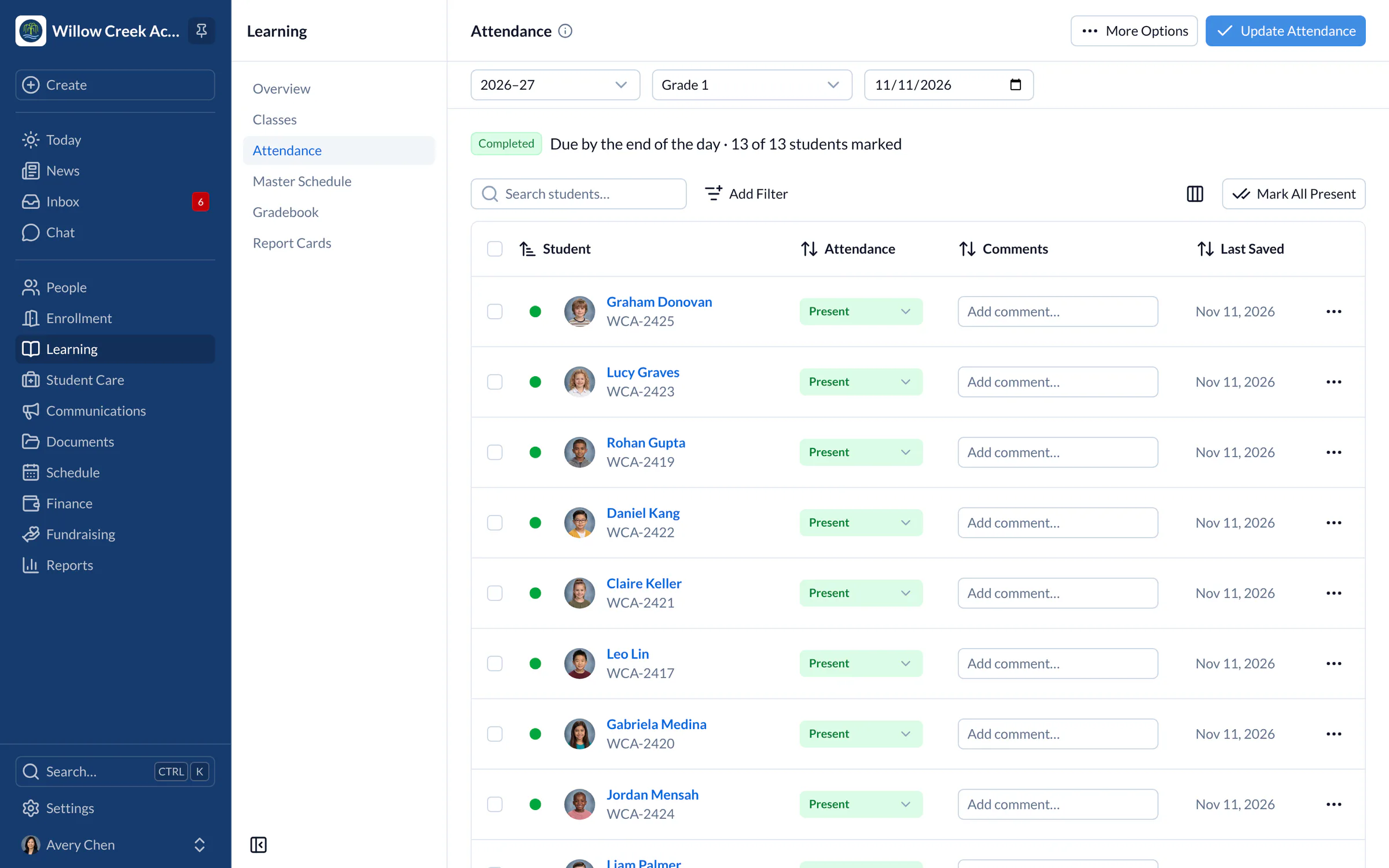
Record attendance each day with codes, and keep attendance reports ready for when you need them.
Plan the term on a calendar
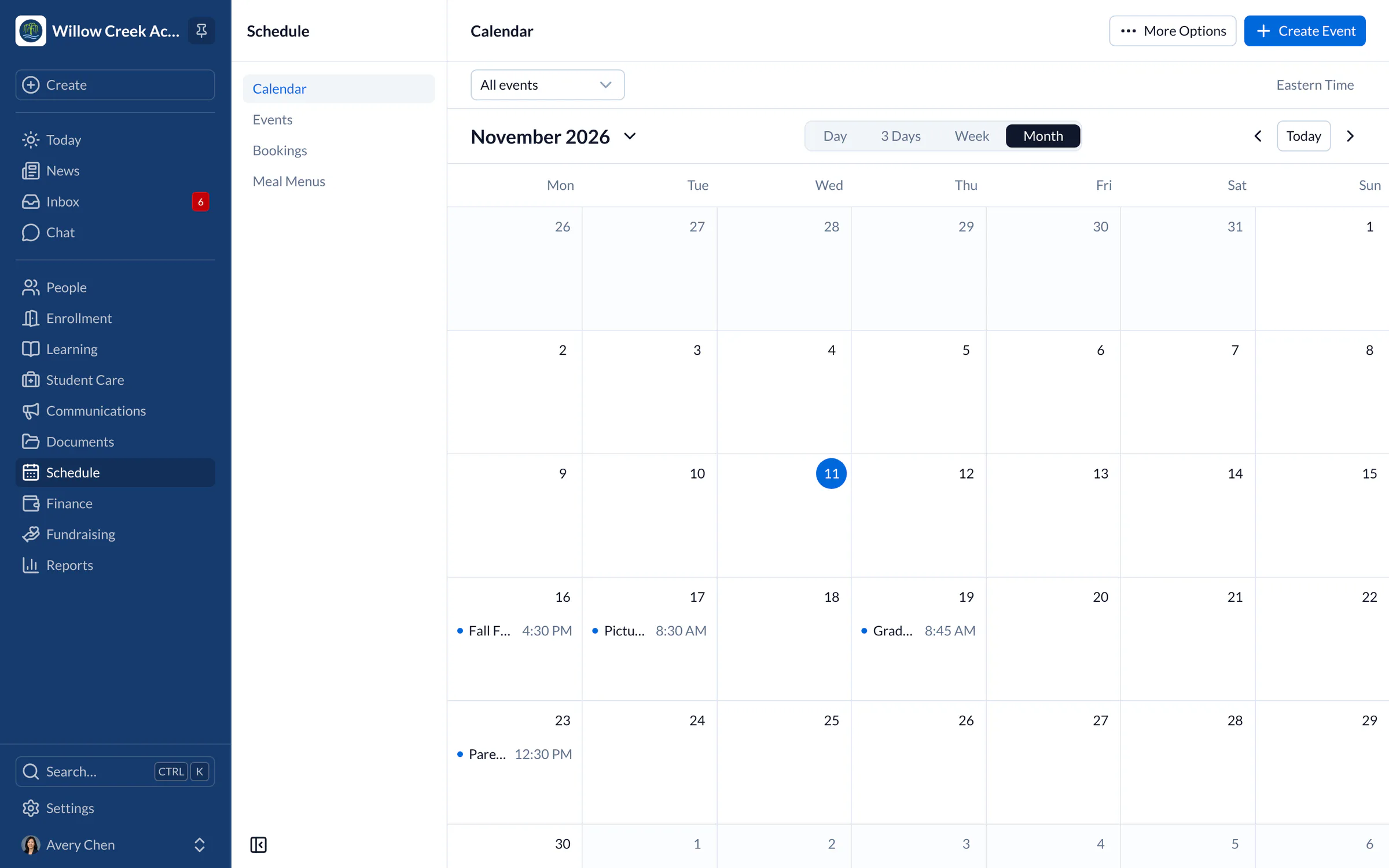
Map out each course with repeating events, then download the calendar as a PDF or subscribe from your phone.
Co-op classes and sign-ups
Co-ops can offer class and volunteer slots with sign-ups, waitlists and reminders for every family.
Documents in one place
Keep course outlines, reading lists and records in a document library with versions, so nothing gets lost.
A day with SchoolCues
A homeschool day, from kitchen table to co-op
Homeschool
Helping your child adjust at home for uninterrupted learning
If you’re considering homeschooling, SchoolCues gives you the tools to keep your child’s learning on track at home. Our modules help you stay organized, so the education your child gets at home can match what a regular school offers. Here’s what the K-12 homeschool solution includes.

Gradebook
Gradebook
The online gradebook for homeschools lets you record your child’s grades anytime, from anywhere, without paying a lot just to track them. Every graded assignment, quiz and test sits in one place, so you can follow your child’s progress through the year. The gradebook also tracks credits and GPA for each child’s transcript.
The gradebook includes:
- Simple setup of subjects and students, if you teach more than one child
- Transcripts and report cards
- Several grading and reporting formats
- Access from the mobile app
Course planning
Syllabus
Write a syllabus for each of your child’s courses and keep it in your document library. Choose a grading scale in the gradebook, and outline the course on the calendar, adjusting it as the year goes on. Each syllabus is yours to shape.
Planning
Lesson Plans
Parents who homeschool are busy, and lesson planning has to stay manageable. Keep your lesson plans as documents in your SchoolCues library, with earlier versions saved, and schedule lessons on the calendar. With everything online in one place, nothing gets lost.
Homework
Homework Drop-Box
Tired of papers scattered around the house? Go paperless by posting homework as a message with a due date, sent to one child or a whole class. Families see it in the app and by email, and children hand in finished work the way they do today. Add a checklist when there’s something to bring or finish, and your child can tick items off.

Reports
Reports
Homeschooling is easier when reports show how each child is progressing. You can print data straight from each area, and the reports section also gathers them in one place:
- Attendance Reports: See each student’s attendance day by day, down to each attendance session.
- Gradebook Reports: Grades by subject, with a transcript for each child
- Course Reports: Open each course’s live report with its filters, and export it to CSV
- Daily Schedules: Print the calendar by day, week or month to see each child’s activities and the time assigned to each.
- Custom Reports: Need a report for another area? Build your own.
Filter any report by date range. Report cards and transcripts download as PDFs, and many reports can be printed or exported to CSV.
For co-ops and umbrella schools
Alumni Management for Homeschools
A single family teaching at home doesn’t have alumni, but homeschool co-ops, umbrella schools and hybrid programs do. Each year they graduate seniors whose families they want to keep in touch with, and those lists usually end up in email threads and spreadsheets.
SchoolCues’ alumni management for homeschool programs keeps every graduate’s details in one place. When a student finishes, move them to alumni with their graduation year and keep their contact details current.
From there you can invite graduates back to talk with younger families, or reach a graduating class by email, text message or newsletter from the same platform.

About SchoolCues
SchoolCues is a low cost all-in-one school management system that helps administrators and teachers run a school with less effort. It suits many kinds of schools, including Montessori, Christian, Lutheran, Catholic, Episcopal, Islamic, charter, private, independent and Waldorf schools.
Modules for admissions and enrollment, online payments, the student information system, the gradebook, communications and alumni management help schools stay organized and go paperless. You can also use them to run a virtual school or homeschool your own children.
To see how SchoolCues can simplify your school and increase parental engagement, please explore SchoolCues.
“The All-in-One system is easy to set up. It has great features for communicating with parents in several different ways. Our parents appreciate that SchoolCues is very user friendly. Sending contracts electronically and storing information has been extremely easy. Our teachers have no difficulty setting up special groups for communications and engagement. Customer support is wonderful.”
Rebuilt for the way schools work today
Checklists
Add a what-to-bring list to a co-op day or field trip, and families tick items off as they pack.
One app for families and teachers
The SchoolCues app for iPhone and iPad is included in every plan, so families never pay for mobile access.
Calendar subscriptions
Add the calendar to Apple, Google or Outlook calendars with a subscription link.
Pricing
For homeschool, we recommend Manage
One price covers your whole school, including every staff member, every family and the parent app. Pricing follows your enrollment, not how many people use it.
Compare all plans- Everything in Connect
- Student information system (SIS)
- Attendance, check-in and check-out
- Gradebook, report cards and transcripts
- Timetables and class schedules
- Cue, the AI assistant for staff (Beta)
FAQ
Questions schools ask us
No. SchoolCues keeps your records, not your lessons: grades, report cards, transcripts, attendance, the calendar and documents. You choose and teach the curriculum.
Homework is posted as a message with a due date, so families always know what’s due. SchoolCues doesn’t collect finished work, so children hand it in the way they do today.
Yes. Co-ops can use sign-ups for classes and volunteers, a shared calendar, forms and permission slips, and the SchoolCues app for every family at no extra cost.
Manage includes the gradebook, report cards and transcripts. Connect covers student records, communication, calendars, sign-ups and forms on their own. Pricing is based on enrollment.
Book a demo
Keep your homeschool records in one place
Book a live tour and see how SchoolCues fits your family or co-op.
- A live SchoolCues demo with Q&A
- Your pricing, after the demo
- A plans overview to share with your board

Hosted by SchoolCues founder, Dr S
Every week. Join the group tour, or ask for a call with just your team.
Tell us about your school
Takes a minute. Then choose a session.