
School Management Software for Presbyterian Schools
Presbyterian day schools keep careful academic records, from report cards to transcripts. SchoolCues keeps admissions, grades, report cards, tuition and messages in one place, so the office isn’t copying data between three systems.
No setup fees · See pricing



Christian schools using SchoolCues





Careful records, less copying
A gradebook teachers will use
Letter grades, percentages or pass/fail by subject, with comments that flow straight onto the report card.
Report cards and transcripts
Issue them as PDFs on your letterhead, and keep every past report on the student’s record.
Admissions in one pipeline
Inquiries, tours, applications and enrollment agreements, with each family’s details carried into their record.
Tuition and fees together
Tuition plans, one-off charges and scholarships live on the family account, with autopay for families who want it.
Conferences without the email chain
Families book their own conference times, and teachers get a day sheet of who’s coming.
Stay close to alumni
Move a graduating class to alumni in one step and keep them in touch with the school.
A day with SchoolCues
A day at your Presbyterian school
Academics
Gradebook and report cards for Presbyterian schools
Teachers enter grades by assignment or standard, and report cards come out as PDFs on your letterhead. Lower grades can use skills-based reports while upper grades use letter grades, credits and GPA. Transcripts build as students go, so the one a high school or college asks for is ready when they ask.
Explore report cards and transcriptsStudent records
Student information system
Contacts, health details, permissions and documents live on each student’s profile. Families can suggest changes to their own details, and the office approves each one before it’s saved.
Explore the student information system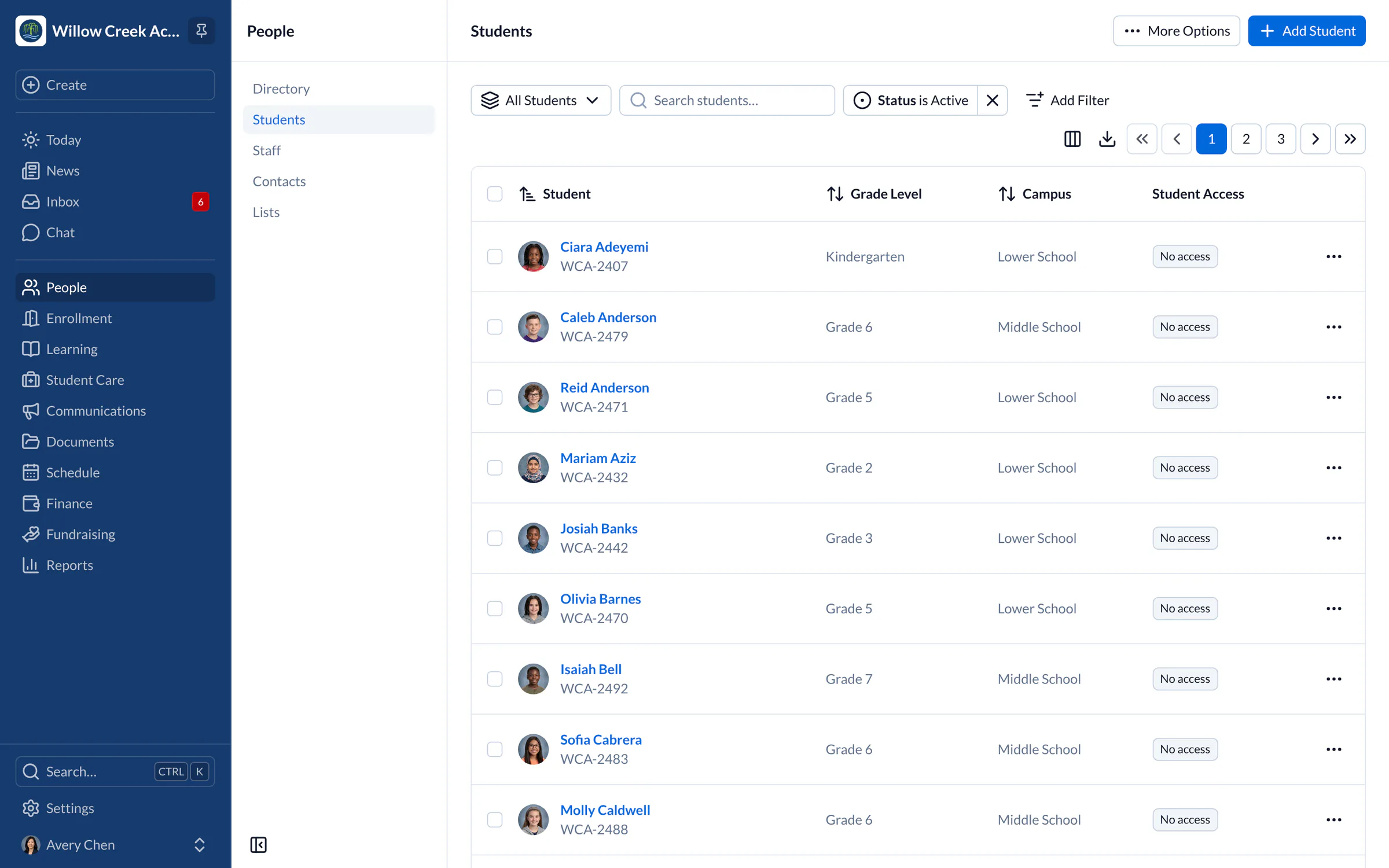
Admissions
Admissions for Presbyterian day schools
Inquiries, tours, applications and enrollment agreements run through one pipeline. You see where every family is, and nobody falls through the gap between a tour and an application.
Explore admissions and enrollment“SchoolCues is an all-in-one, easy-to-use platform that delivers everything a small school needs and more. We’ve found every feature valuable and couldn’t be happier. We highly recommend it for small schools.”
Pricing
For Presbyterian schools, we recommend Manage
One price covers your whole school, including every staff member, every family and the parent app. Pricing follows your enrollment, not how many people use it.
Compare all plans- Everything in Connect
- Student information system (SIS)
- Attendance, check-in and check-out
- Gradebook, report cards and transcripts
- Timetables and class schedules
- Cue, the AI assistant for staff (Beta)
FAQ
Questions schools ask us
Yes. Use skills-based report cards in the lower grades and letter grades with credits and GPA in the upper grades.
Yes. Transcripts build from the gradebook and are issued as PDFs on your letterhead.
Families can suggest changes, and the office reviews each one before it’s saved.
Pricing is based on enrollment, with no setup fee and a free 30-day trial.
Book a demo
See SchoolCues for your Presbyterian school
Book a live tour and see admissions, grades and report cards in one system.
- A live SchoolCues demo with Q&A
- Your pricing, after the demo
- A plans overview to share with your board

Hosted by SchoolCues founder, Dr S
Every week. Join the group tour, or ask for a call with just your team.
Tell us about your school
Takes a minute. Then choose a session.