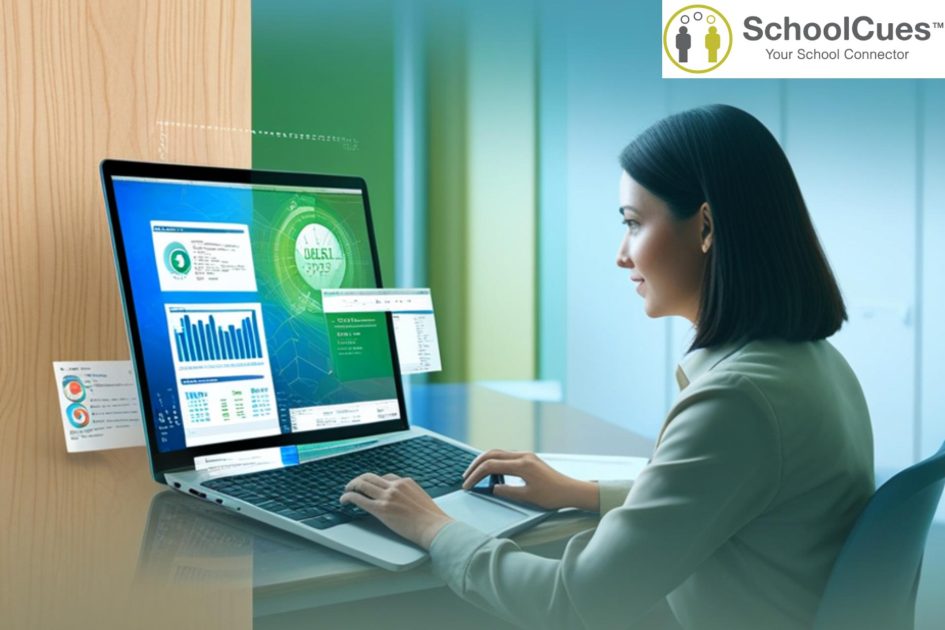
School database management systems (DBMS) give small school administrators a practical way to replace scattered spreadsheets, paper files, and disconnected apps with a single, organized source of truth. The result is less time on manual tasks and more time focused on teaching, families, and school improvement.
Why Data Matters for Small Schools
Running a small school is no small task. Administrators wear multiple hats every single day—handling admissions, communicating with families, tracking attendance, managing payments, overseeing teachers, and keeping academic records organized. With limited staff and tight budgets, these responsibilities can be overwhelming.
Many small schools still rely on manual paperwork, spreadsheets, and multiple disconnected apps that don’t talk to each other. This leads to duplicated work, missing information, and errors that take hours to fix.
That’s where the Essential Guide to School Database Management Systems for Small School Administrators becomes critical. A centralized school database system doesn’t just store information—it transforms how the school operates. With everything in one place, administrators can streamline processes, communicate more effectively with families, and make better decisions based on accurate, real-time data.
What Is a School Database?
A school database is a central digital hub where a school stores all its essential information. Think of it as a secure online filing cabinet—organized, searchable, and always up to date.
Typical entities stored in a modern school database include:
- Students: personal details, demographics, enrollment status, medical and special notes.
- Parents and guardians: contact information, communication preferences, emergency contacts.
- Staff: teachers, administrators, support staff, roles, schedules, and permissions.
- Academic data: classes, attendance, assignments, grades, report cards, and transcripts.
- Financial data: tuition, fees, donations, invoices, receipts, and payment history.
- Communication history: messages, reminders, conference notes, and announcements sent to families.
In many schools, this database sits at the core of an integrated student information system (SIS), online gradebook, and payment management solution, ensuring that changes in one area automatically stay in sync everywhere else.
Benefits for Small School Administrators
Time Savings and Reduced Manual Tasks
Small schools often run on limited administrative support. A centralized database:
- Reduces repetitive data entry
- Eliminates the need for spreadsheets
- Removes bottlenecks caused by scattered records
- Helps teachers and office staff work more efficiently
By automating tasks like attendance tracking, report card generation, and payment reminders, schools can save hundreds of hours each year.
Better Decision-Making Through Centralized Data
When all school information exists in one database, administrators can:
- Track enrollment trends
- Analyze student performance
- Monitor attendance patterns
- Identify communication gaps
This makes strategic planning and day-to-day decision-making much easier.
Data Compliance, Security, and Permissions
Small schools must protect student data just like larger institutions, making Data Security in Schools a top priority. A modern database provides:
- Role-based permissions
- Audit trails
- Secure cloud storage
- Data encryption
These features help schools stay compliant with privacy standards and prevent data mishandling.
Key Features to Look for in a School Database System
Student and Family Profiles
A strong school database should give administrators a complete view of every student and household. Look for features such as:
- Customizable profile fields
- Notes and communication history
- Emergency contact details
- Enrollment and document storage
Integrated Gradebook and Report Card Tools
A reliable database system should include a gradebook that makes grading simple and seamless. Essential capabilities include:
- Support for multiple grading formats
- Automated grade calculations
- Easy, teacher-friendly grade entry
- Fast, consistent report card generation
Attendance Tracking and Daily Classroom Workflows
Attendance management should fit naturally into daily classroom routines. The best systems offer:
- Quick, user-friendly attendance entry
- Automatic syncing with parent communication tools
- Integration with each student’s main record
Built-In Communication Features
Clear communication is vital for small schools. Your database should provide:
- Email and SMS messaging
- Push notifications
- Two-way parent communication
- Integrations with parent apps or portals
Online Tuition & Payment Management
A database with integrated payments helps schools run more efficiently. Look for:
- Online tuition and fee payment options
- Automated billing and reminder notices
- Late fee tracking
- Payment reports for easy reconciliation
Reporting and Administrator Dashboards
Reporting tools help administrators make informed, timely decisions. Useful dashboards typically include:
- Enrollment and admissions data
- Financial summaries
- Attendance insights
- Academic and grade trends
How to Evaluate and Choose a Provider
Reliability, Cloud Hosting, and Backups
Choose a provider with secure, cloud-based hosting and automatic backups.
Ease of Use for Teachers and Admins
Interfaces should be:
- Simple
- Intuitive
- Designed for non-technical users
Training, Support, and Onboarding Quality
High-quality support ensures fast adoption and fewer mistakes.
Integration With SIS, Gradebook, and Payments
Look for seamless data sharing to avoid duplicate entry.
Pricing for Budget-Constrained Small Schools
Choose pricing structures that fit small-school budgets.
Running Pilots or Demos Before Rollout
Testing with real data helps administrators make confident decisions.
Real-World Scenarios in Small Schools
Replacing Paper and Spreadsheet-Based Enrollment
A database eliminates clutter, reduces confusion, and ensures nothing gets lost.
Managing Parent Communication and Reminders
Automated reminders improve attendance at conferences, events, and meetings.
Handling Tuition and Other Payments Easily
Integrated payment modules remove guesswork and improve financial tracking.
Where SchoolCues Fits In
SchoolCues was developed specifically for small schools that need enterprise-level capabilities without enterprise-level complexity or cost. It functions as an all-in-one school management platform with a robust school database at its center, connecting student information, attendance, grades, communication, admissions, and payments in a single, cloud-based system. For administrators, this means one login and one consistent interface for managing nearly every operational task.
Connecting the Modules to Administrator Needs
The SchoolCues database powers integrated modules such as:
- The Student Information System (SIS)
- Online gradebook and report cards
- Parent communication tools
- Admission and enrollment workflows
- Payment and tuition management
- Attendance tracking and classroom tools
By consolidating these functions, SchoolCues allows small schools to build a truly unified database school that supports better decision-making, smoother daily operations, and stronger relationships with families—all without adding more complexity or IT burden to an already stretched administrative team.
School administrators who want to simplify operations and reduce manual workloads can explore demos or visit feature pages to learn more about SchoolCues’ SIS, gradebook, communications, and payments tools.
FAQs About School Database Systems
What is a school database?
A school database stores key information about students, parents, staff, grades, attendance, and payments in one place.
Do small schools really need an SIS?
Yes—an SIS reduces manual work and improves accuracy.
What information should a school database store?
It stores profiles, staff info, classes, attendance, assignments, payments, and more.
How is it different from a spreadsheet?
A database offers automation, permissions, and reliability—spreadsheets do not.
How does it integrate with gradebook and payment systems?
All updates go into the same student record automatically.
What should small schools look for in a provider?
Ease of use, cloud hosting, support, integrations, and budget-friendly pricing.
Conclusion
A modern school database is essential for small school administrators seeking to reduce errors, streamline operations, and improve communication. By choosing the right system, small schools can operate more efficiently and confidently supporting students, teachers, and families with ease.