Two school management software platforms keep showing up in the same demo cycle for small private schools: SchoolCues and Gradelink. Both serve K-12 schools. Both have parent portals, gradebooks, and student information systems.
But they were built for different problems. The wrong choice costs you admin hours, parent frustration, and tuition revenue you never collect.
This comparison breaks down the five things small schools actually buy on: price, tuition billing, parent experience, support, and setup. If you run a school with 15 to 500 students, this is the only comparison you need.
Quick Answer: SchoolCues vs Gradelink for Small Schools
Choose SchoolCues if you want a flexible school management system where you pick the modules your school needs: student information system, tuition billing, parent communication, admissions and enrollment, gradebook, and a native mobile app. Pricing starts as low as $75/month. No setup fees. No training fees. Unlimited support.
Choose Gradelink if your primary need is a gradebook and student information system and you handle tuition billing through a separate vendor.
Schedule a Free 20-Minute Demo
See your actual school workflow inside the platform. No pitch, just a real walkthrough.
School Management Software Pricing: SchoolCues vs Gradelink
This is where small schools get burned. Two platforms can sound similar and cost very different amounts once add-ons stack up.
Gradelink does not publish pricing on their website. Navigating to gradelink.com/pricing redirects to a quote request form at buy.gradelink.com titled “Get Your Free Gradelink Quote in Minutes.” Capterra reports pricing starting from $80/month for their base plan.
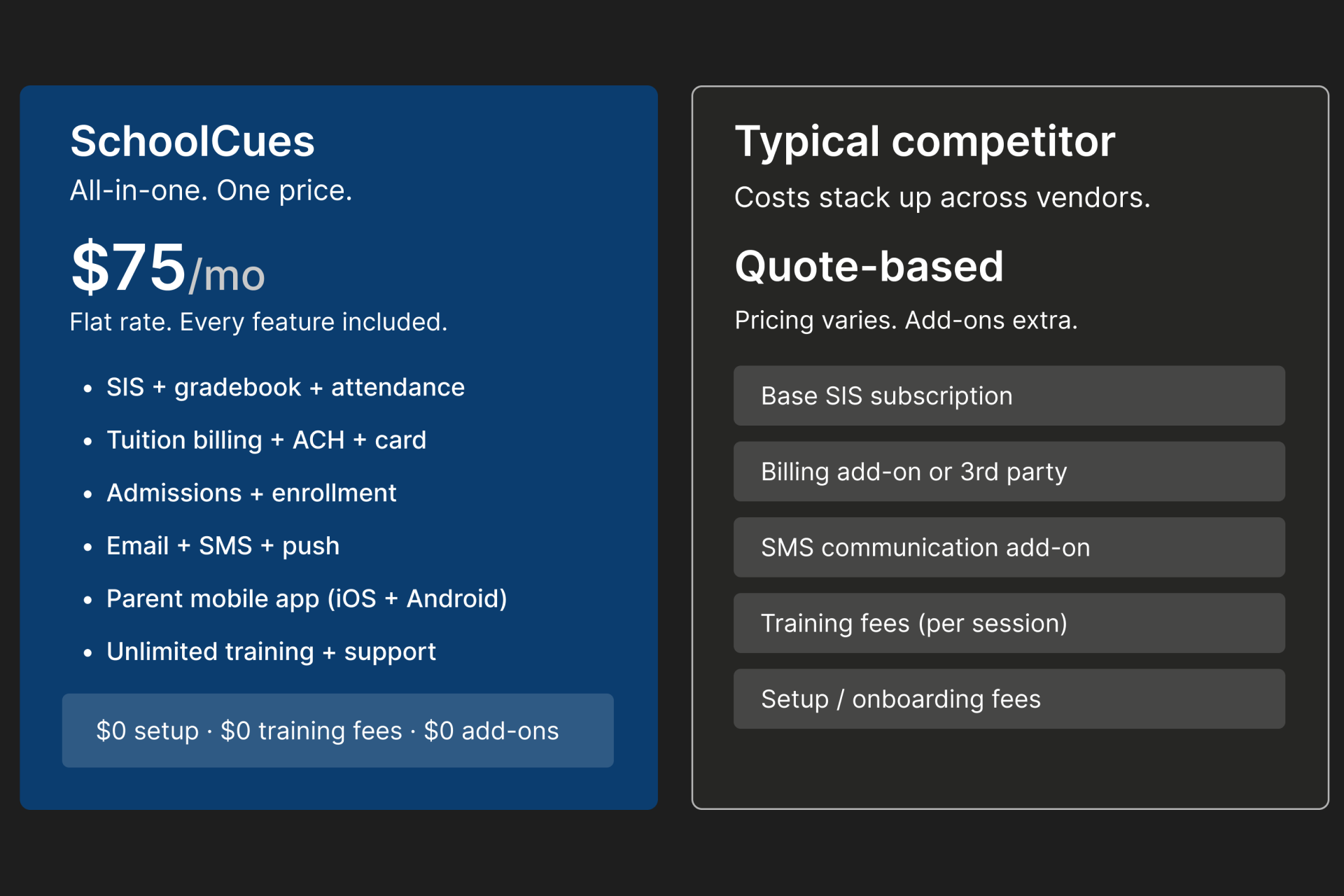
SchoolCues pricing starts as low as $75/month. Schools choose the modules they need, including admissions, SIS, online gradebook, parent communication (email, SMS, push notifications), tuition management, online payments, and the parent mobile app. Pricing is based on the modules selected. No setup fees. No training fees.
For a 200-student school, that difference compounds fast. If you pay separately for SIS, billing, and communication, you manage three vendors and three invoices. SchoolCues consolidates everything into one platform.
Tuition Billing and Online Payments: Included or Extra?
This is the single biggest hidden cost in school management software.
SchoolCues offers full tuition management as part of its module options. Parents can pay via ACH, credit card, cash, or check. ACH and card payments process online. Cash and check are recorded by staff and post to the student account in real time. Parents see their live balance in the parent portal instantly, which eliminates balance-inquiry calls to your office.
Auto-pay and recurring billing are built in. Parents enroll once, and the system collects on the scheduled date with no manual follow-up. Late fees with configurable grace periods apply automatically. The system automatically applies sibling and family discounts at the time of billing. Electronic invoicing delivers to parent accounts with no paper and no postage.
Gradelink offers tuition tracking and invoicing within their platform. For full online payment processing (ACH, credit cards, and other methods), schools typically integrate with third-party payment processors. That means an additional vendor and additional fees outside the Gradelink subscription.
Parent Communication and Mobile App Comparison
The platform that frustrates parents is the one that fills your voicemail.
SchoolCues is mobile-first. Parents download a free app on iOS and Android. They access multiple modules like attendance, grades, tuition balance, school news, and teacher messages on one screen. No separate login for billing.
Gradelink provides a web-based parent portal through their ParentAlert system. The experience is browser-responsive but not a dedicated native mobile app. Parents access grades, attendance, and school information through a browser session.
For working parents and families who primarily use phones, a native app is the difference between high adoption and low adoption.
Setup, Training, and Customer Support for Small Schools
SchoolCues charges zero setup fees and zero training fees. Support and training are unlimited for the life of your subscription. New hire in March? They get trained at no extra cost.
Gradelink includes email and phone support with training available through live online sessions, webinars, and documentation. Since their pricing is quote-based, schools should confirm their specific support and training terms before signing.
For schools with staff turnover or seasonal volunteers, unlimited training is the difference between a system that sticks and one that gets abandoned.
Student Information System and Gradebook Features
Both platforms offer SIS and gradebook functionality. Gradelink built their product around the gradebook core, making it a strong fit for teacher-led purchase decisions.
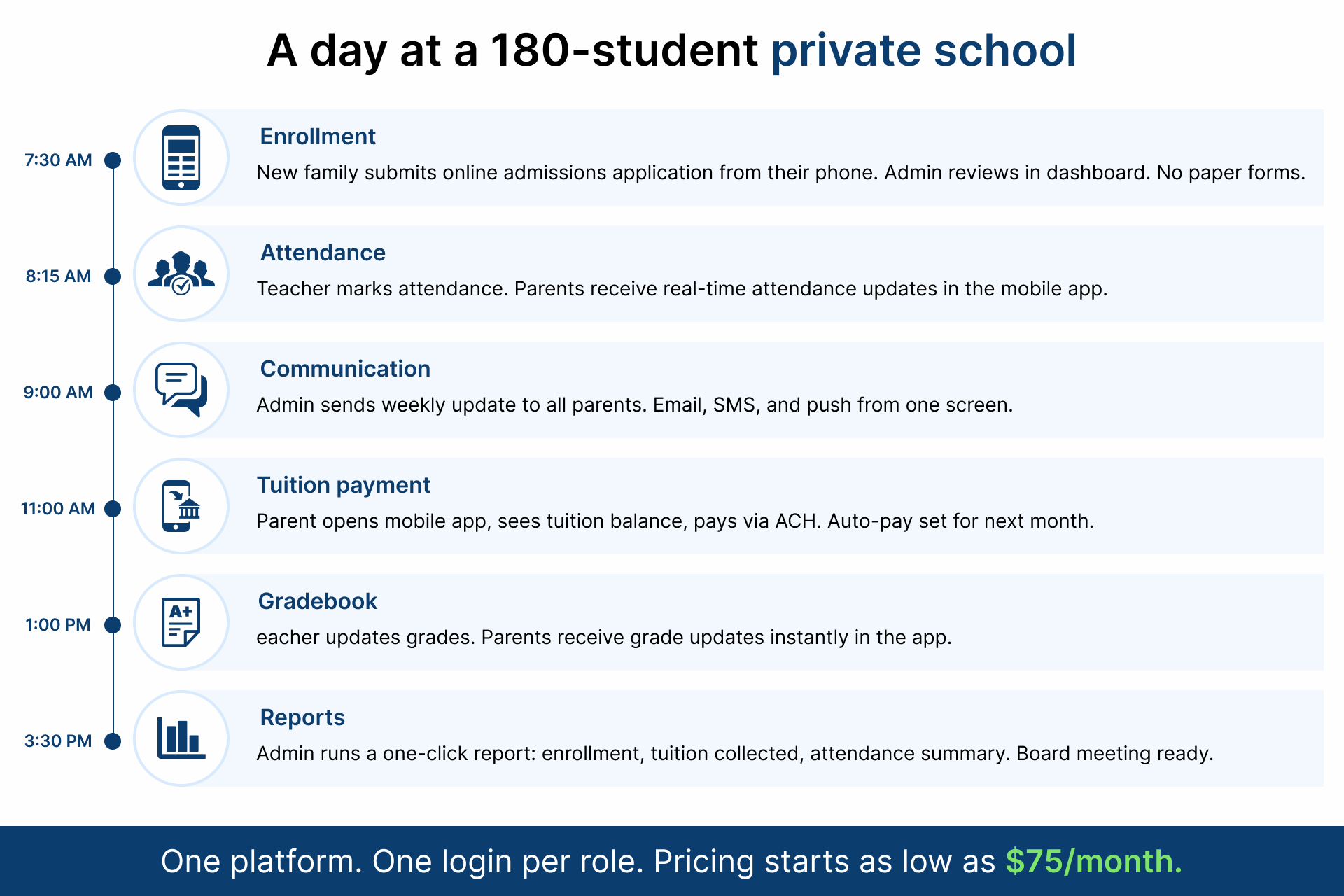
SchoolCues built for everyday users: administrators, teachers, and parents. Admissions, enrollment, communication, billing, and the parent app sit alongside the SIS and gradebook, all designed to be simple for every role without technical training. SchoolCues serves Christian schools, Montessori schools, and other small private K-12 models. If your buying decision is driven by the administrator or principal (not the teacher), SchoolCues matches the actual workload.
Side-by-Side: SchoolCues vs Gradelink Comparison Table
When to Choose Gradelink Over SchoolCues
- Your school is teacher-led and the gradebook is the primary buying factor
- You already handle billing through a separate system you plan to keep
Your parents are desktop-comfortable and do not need a native mobile app
When to Choose SchoolCues Over Gradelink
- You want one platform for SIS, admissions, gradebook, billing, communication, and payments
- Your parents primarily need a native mobile app
- You need unlimited training and support without extra fees
You want flexible pricing that lets you pick the modules your school actually uses
Frequently Asked Questions About SchoolCues vs Gradelink
Is SchoolCues cheaper than Gradelink?
SchoolCues pricing starts as low as $75/month with no setup or training fees. Schools select the modules they need, and pricing is based on what they choose. Gradelink pricing is quote-based. For most schools under 500 students, total cost with SchoolCues is typically lower.
Does SchoolCues offer tuition billing and online payments?
Yes. SchoolCues offers tuition management with ACH, credit card, cash, and check payments, auto-pay, recurring billing, late fees with grace periods, sibling discounts, electronic invoicing, real-time student account balances, and payment reports.
Can I switch from Gradelink to SchoolCues mid-year?
Yes. SchoolCues supports schools through the migration process. Migration timelines and any associated costs depend on the school’s data complexity. Most transitions can be completed without disrupting the school year.
Does SchoolCues work for Christian, Catholic, and Montessori schools?
Yes. SchoolCues serves faith-based, secular, Montessori, Waldorf, charter, and homeschool models.
Does Gradelink have a parent mobile app?
Gradelink offers a mobile-responsive web portal. SchoolCues includes a free native app on iOS and Android.
How long does SchoolCues take to set up?
Most schools go live within 5 to 10 business days. Setup and training are included in the subscription.
Schedule Your Free SchoolCues Demo Today
If you are running a small private school with 15 to 500 students, SchoolCues was built for small schools that need a simple, affordable, and complete school management system.
Schedule a Free 20-Minute Demo
See your school inside the platform. Get a real cost breakdown. No obligation.